















How to check your IMEI number
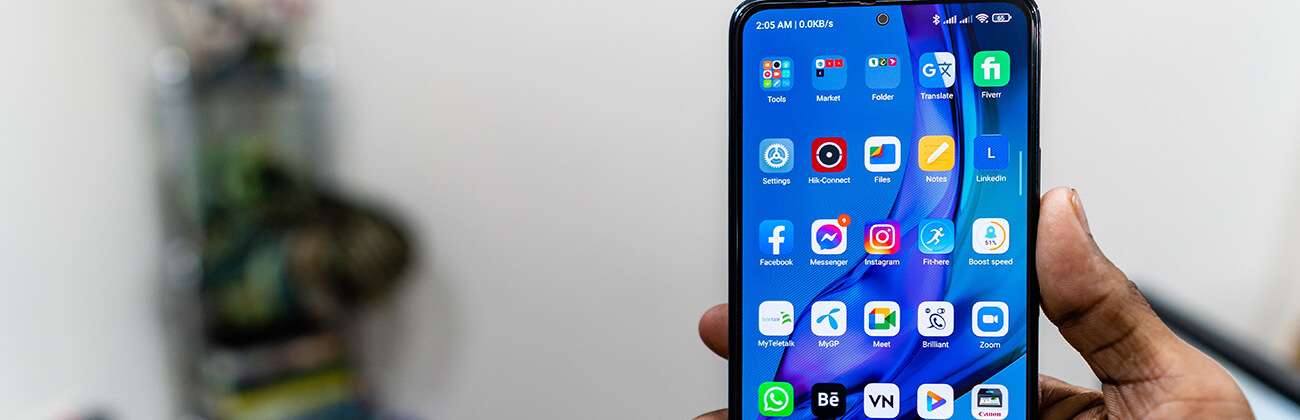
What is an IMEI?
An IMEI is your phone’s unique identifier that allows us to check if you can bring your phone to Astound Mobile by verifying that your device is compatible with our mobile network.
Follow these steps for an IMEI check.
How to locate your IMEI
iPhone
If you have an iPhone, follow these steps to look up the IMEI on your device:
Step 1: Go to Settings > General and tap About.
Step 2: Scroll down to find the IMEI/MEID, and ICCID
Android
If you have an Android, follow these steps to look up the IMEI on your device:
Dial *#06# in your keypad and your IMEI will display.
Or check through settings:
Step 1: Navigate to Settings and then tap About phone.
Step 2: Details about your phone number, IMEI, model number, and serial number will be displayed on-screen.

 This is great news. You are able to continue down the activation process with your device. Welcome to Astound Mobile!
 If your device is still locked, and you have paid off the balance, call your carrier and request for the device to be unlocked.
Frequently Asked Questions
How do I find my device’s IMEI number?
For most devices, the IMEI number can be located by following the steps below.
- From your device’s home screen, select “Settings”
- Select “General.”
- Select “About.”
- Scroll down to the IMEI, ESN or MEID number.
Can I activate my phone today?
Yes, you can activate your phone today if you have a compatible, unlocked eSIM phone with eSIM there is no need to purchase a physical SIM card. If you’re transferring your current phone number, you‘ll need a few details like your account number, PIN, and Billing ZIP code from your previous carrier.
You can find these on one of your past bills or give your previous carrier a call for assistance. It may take a few hours for your number to transfer. Finally, for a complete overview of the activation process, please click here.
If your phone isn’t eSIM compatible, we can send you a physical SIM card.
What does an unlocked phone mean?
An unlocked phone is a device that is not tied to a specific carrier or a phone plan. When a phone is unlocked, it means it can be used on other carriers’ networks. If you want to bring your own phone to Astound Mobile, you need to unlock your phone from its current carrier.
Your phone cannot be lost or stolen and must be paid off in full with the associated account in good standing before a carrier will complete your unlock request. Additional information on how to unlock your phone will be provided during setup. If you have more questions on this topic, you can reach out to our care team.
Related content

Activate Your Unlocked Phone
Do you have a phone that’s unlocked? Activation is easy and we have a handy list to get you started.

How To Transfer Your Phone Number
Keep your existing phone number by porting it to our network when you switch to Astound Mobile.

Activate your new phone
Activating your new phone is simple! The following steps will get you started.

Activate a SIM Card or eSIM
Whether you're transferring a previous number or getting a new one, we've made the process simple.

How to Test if Your Device is Unlocked
Do you have a phone you want to bring to Astound Mobile? Follow these steps to ensure your phone is unlocked.
Quick links



Looking for something else?
Check out the Support Center for all Mobile support content.
Astound Mobile requires Astound Internet service. Coverage not available in all areas. A trademark of Ziff Davis, LLC. Used under license. Reprinted with permission. Where available. © 2025 Ziff Davis, LLC. All Rights Reserved. All names, logos, images and service marks are property of their respective owners. ©2026 Radiate Hold Co., LLC d/b/a Astound Broadband. All rights reserved.
This website contains instructional information, including from third-party sources, and is intended, but cannot be guaranteed, to be always up-to-date, complete and accurate. Astound does not endorse, and is not responsible for, any third-party content that may be accessed through this website. Any representation or warranty by Astound that might be otherwise implied by information on this website is expressly disclaimed. Astound expressly disclaims all liability or responsibility with respect to actions taken or not taken based on any or all of the instructional information contained on this website. Astound does not warrant or guarantee the availability of any services at any specific time or geographic location or that services will be provided without interruption. Not all aspects of the Astound services function on all equipment and devices. Use of this website is subject to the Web Site Disclaimer and Web Content Accessibility Policy.