















Mesh vs. gaming router: Choosing the best setup for zero lag
Choosing between a mesh network and a dedicated gaming router depends on whether your priority is whole home coverage or competitive, low latency performance. Traditional routers broadcast from a single zone, whereas mesh systems like eero use multiple self-configuring nodes to eliminate dead zones and dynamically route traffic. While mesh WiFi optimizes bandwidth for multiplayer matches, VR gaming, and smart home integration, unoptimized node placement can introduce minor wireless latency. For competitive gaming, a dedicated gaming router or a wired Gigabit+ Ethernet connection using eero’s Ethernet backhaul delivers the lowest latency, zero jitter, and maximum data processing.

Key Takeaways:
- Traditional home routers rely on a single broadcast zone, which frequently creates wireless dead zones and signal drops in larger properties.
- Mesh networks utilize multiple physical nodes that communicate with each other to build a self-configuring grid, routing data along the fastest path.
- Mesh systems like eero seamlessly shift your devices to the strongest node signal as you move, preventing connection drops or manual network switching.
- Benefits of mesh for gaming include traffic prioritization (QoS), reduced packet loss, stable VR performance, and easy handling of concurrent smart home devices.
- Node-to-node signal hopping can introduce minor wireless latency, which can be mitigated by switching to a 5 GHz band or utilizing an Ethernet backhaul.
- Dedicated gaming routers provide advanced ping reduction and specialized hardware built to process simultaneous high-speed multiplayer data streams.
- For competitive gaming, combining a Gigabit+ internet plan with a direct Ethernet connection provides the ultimate lag-free, zero-jitter environment.
In 2024, gamers around the world spent an average of 1 hour and 3 minutes per day playing online games. If you’re one of those gamers and you play video games online, you’re probably always looking for the competitive edge.
The right (or wrong) home internet setup can make all the difference between success and failure when gaming online via tethering or WiFi. Recent developments in mesh networking have made it even easier for gamers to get high-quality wireless internet coverage in the comfort of their home.
We’ll explore the ins and outs of mesh networking, mesh WiFi for gaming, mesh devices and nodes, and highlight why mesh is a popular choice for gamers. By the end of this article, you should be able to understand the pros and cons of mesh WiFi gaming and make an informed decision about whether or not to bring mesh networks into your gaming setup.
WiFi that just works!
WiFi plans for any home
Tiny, large or somewhere in between; find WiFi coverage to fit any space. Blanket your entire home with a fast and ultra‑reliable connection.
What is mesh WiFi?: Understanding mesh networking technology
Let’s start by defining what mesh WiFi is, exploring how wireless mesh networks work and looking at some of the most popular mesh WiFi systems on the market.
The origins of mesh networking
Originally developed as military communications technology, mesh network architecture became popular in consumer markets by the 2000s as a reliable and extensive whole-home coverage solution.
In the 2010s, brands like eero Mesh WiFi championed the simplification of setup and improvement of mesh networking and wireless node connectivity across sizeable areas, such as offices and large homes.
Since then, the incorporation of technologies like WiFi 6/6e has enhanced the ability of mesh WiFi to support homes with many mesh nodes, connected devices, networks and advanced smart tech.
How wireless mesh WiFi systems work
Mesh networking aims to eliminate dead zones and ensure consistent wireless internet quality across a range of internet speeds, no matter the size of your home network.
Traditional WiFi routers rely on a single broadcast zone – the router itself. Mesh networks use multiple access points in the form of physical nodes. Each node in the mesh network communicates with the main router and with every other mesh node.
United together, a wireless mesh network creates a grid-like infrastructure in which data is routed through the fastest and most efficient path available, ensuring consistent coverage and minimal signal drop across your entire home.
Overview of eero Mesh WiFi
A leader in mesh networking, eero provides easy-to-use wireless node infrastructure to homes, apartments and office spaces. Compared to other wireless internet solutions, eero provides a rich mesh experience, consisting of:
- Multiple nodes: eero’s mesh networking system, like the eero 6 pro, can include as many nodes as you need for your home. When you set up your system, you’ll set one node as the primary wireless router and connect that node directly to your modem. Additional nodes work with the primary router, extending WiFi internet coverage strategically throughout the home.
- A self-configuring mesh system: After setting up your eero network, your nodes will work together to optimize their data routing paths. Built on mesh technology, your network will flex in real-time to your home internet, responding to the number of devices connected and your household’s internet habits.
- A stable signal: Your devices will automatically connect to the strongest eero signal. As you move around, your devices switch between nodes without dropping the internet connection or reconnecting to different networks.
- An easy-to-use mobile app: A mesh home WiFi system can be managed via mobile app, in which you can control the performance of your home network and connected devices, prioritize device traffic, adjust network security settings and receive firmware updates.

Mesh WiFi with
eero Secure
Enhanced Whole Home WiFi uses multiple routers (or eeros®) to boost range, speed and stability—while eero Secure, included at no extra cost, offers parental controls, ad blocking and internet backup for constant connectivity.
Pros of using mesh WiFi for gaming
Unlike traditional internet routers that can struggle with latency, dead zones and signal drops, a wireless mesh network offers your home network seamless coverage and optimized performance.
The benefits of mesh networking for gaming on WiFi are clear: it delivers low-latency connections, reduced lag and consistent speeds—even when multiple devices are online. Whether you’re battling it out in a high-stakes multiplayer match or just enjoying some casual gaming, mesh WiFi ensures a smoother, more immersive experience. Let’s take a look at some of the benefits:
Benefits of Mesh WiFi for gaming
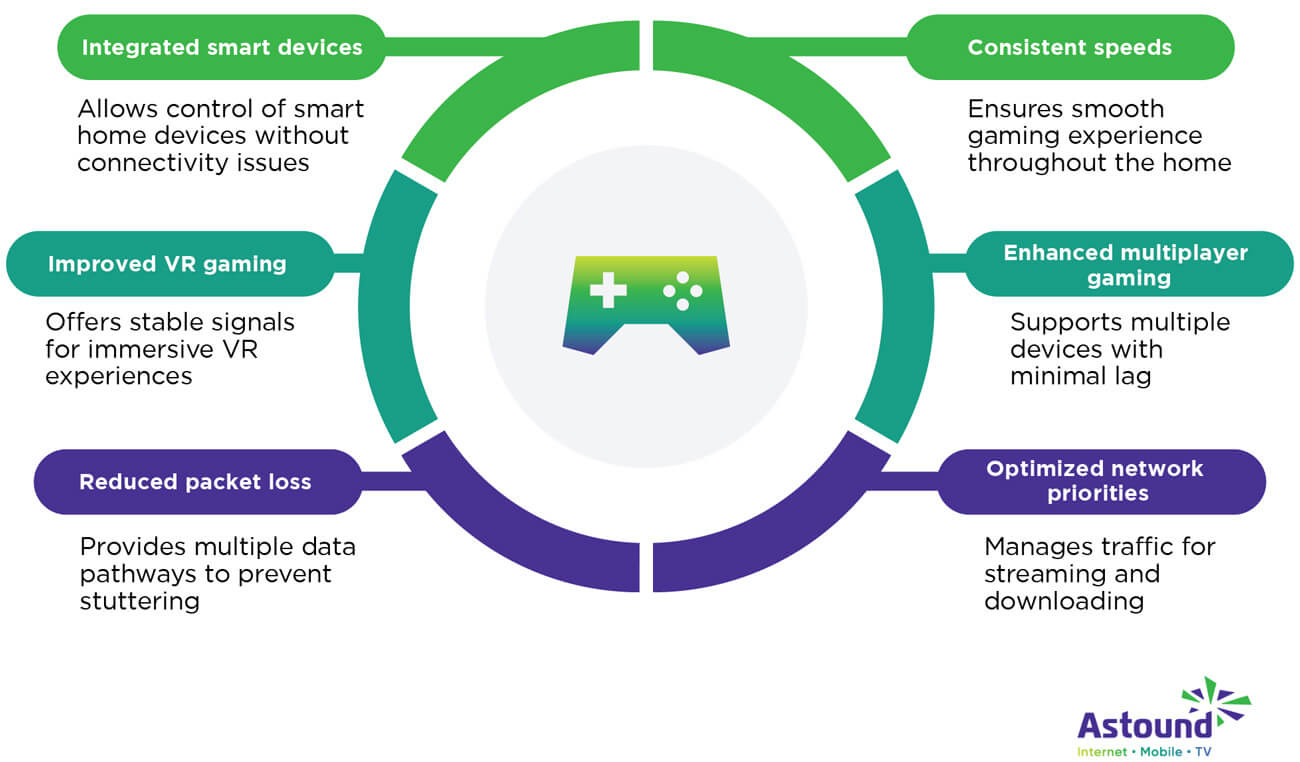
- Consistent home internet speeds: If you’re looking for the best speed for gaming, the best mesh WiFi system, like eero, will deliver consistent wireless internet throughout your home, preventing lag and interruptions. This ensures a smooth gaming experience, even in rooms or on devices far from the main router or modem.
- Enhanced multiplayer gaming: Mesh WiFi can handle many devices at once, making it perfect for homes concerned about their online gaming performance. With the right setup, your whole household can play together with minimal lag or connection issues and access the best mesh WiFi for gaming.
- Optimized network priorities: For frequent gameplay streamers or people who download large game files, eero’s mesh networking and quality of service tools provide advanced internet management, such as prioritization of gaming traffic, ensuring that simultaneous streaming and downloading do not negatively impact gameplay or other devices.
- Reduced packet loss: Packet loss can lead to a bad gaming experience, including stuttering and lag. Mesh networking systems with quality of service settings, like eero, help reduce packet loss by providing multiple pathways for data to travel, ensuring that if one path is congested or experiencing issues, another can take over.
- Improved VR gaming: VR gaming needs fast, stable wireless networks for an immersive experience. Mesh WiFi internet provides strong, consistent signals, making it one of the best mesh systems for VR gaming and preventing disruption, lag or connection issues.
- Integrated smart devices and gaming: If you’re a gamer who uses smart lighting or voice-controlled assistants, you might benefit from mesh networking. Mesh WiFi systems integrate with smart home devices, allowing gamers to control their environment without major internet connectivity issues.
Cons of using mesh WiFi for gaming
While mesh networking offers coverage and convenience, it does come with a few potential downsides.
Mesh WiFi gaming latency can become an issue if the system isn’t properly optimized, leading to potential lag and signal interference. Shared internet bandwidth across devices, backhaul traffic between nodes and wireless congestion can also impact your gameplay experience. Let’s take a look at some of the mesh network disadvantages:
Mesh WiFi gaming challenges
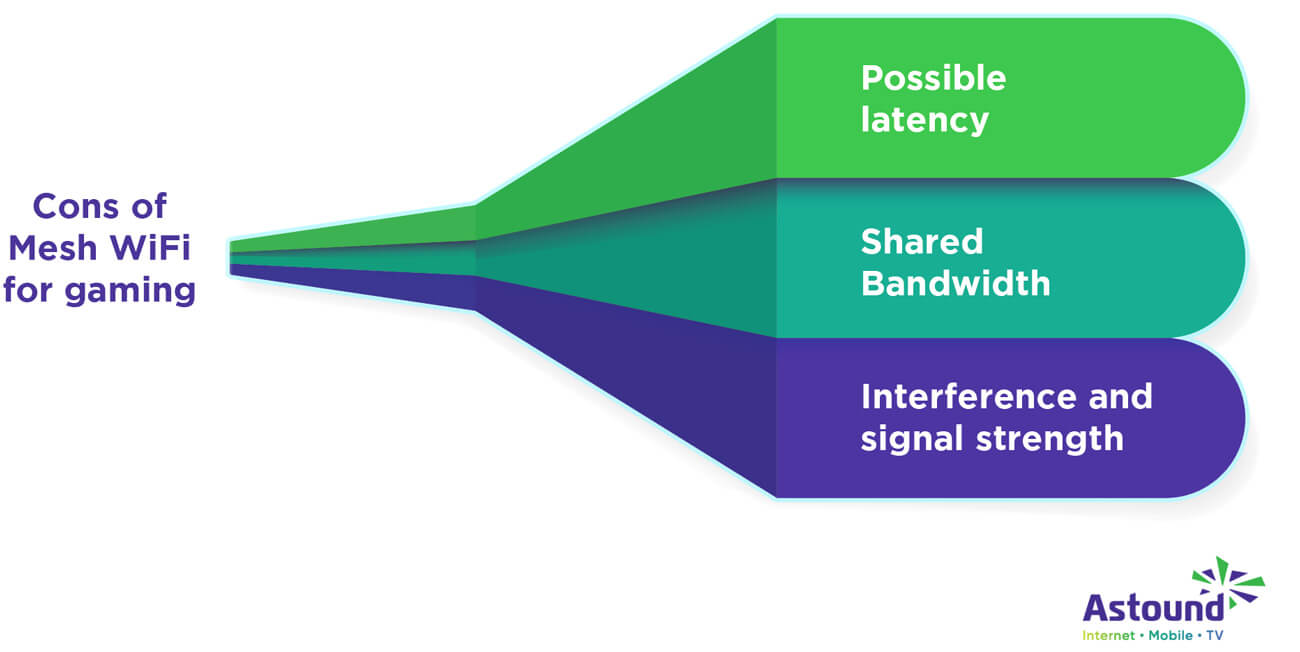
- Possible latency: If you haven’t optimized your WiFi or node placement, your mesh network nodes will need to hop between each other, introducing a small amount of wireless latency or potential lag to your internet connection.
- Shared bandwidth: As mesh networks share bandwidth across all connected devices, you’ll need to prioritize gaming traffic through quality of service settings. Additionally, you could use Ethernet backhaul to improve or alleviate the network congestion.
- Interference and signal strength: Mesh routers may operate on the same frequency bands as other household devices, leading to signal interference. Use a less congested frequency band (like 5 GHz) to help reduce interference and maintain strong signals.
When to consider a gaming router (or wired connection)
When comparing a gaming router vs mesh WiFi, the right choice depends on your specific needs. For competitive gamers seeking a low-latency solution and maximum performance, a dedicated gaming router – or better yet, a wired Ethernet connection – is often the best solution. Gaming routers offer benefits like advanced quality of service settings, ping reduction and optimized traffic flow.
If you’re deciding between WiFi vs Ethernet for gaming, understanding the pros of a wired connection can help ensure smoother gameplay and fewer interruptions. Let’s take a look at some of the points below:
- Lower latency: There are many differences between gaming routers and standard routers. Gaming routers are designed to minimize latency. They offer advanced quality of service settings that prioritize gaming traffic.
- High bandwidth consumption: For gamers who need high bandwidth for activities such as streaming, downloading large updates or playing online multiplayer games, gaming routers provide robust performance. They are built to handle high-speed internet connections and multiple simultaneous data streams.
- Specific gaming features: Some gaming routers come with features tailored for gamers, such as advanced QoS, more security options and specialized hardware for processing gaming traffic on your home WiFi network.
It’s important to note that, for gaming, if you’re looking to eliminate latency, lag and jitter, an Ethernet connection with a Gigabit+ internet plan is the best possible option.
If you want to future-proof your home network, spread WiFi throughout the home for other users and devices and game on Ethernet, we recommend investing in mesh WiFi solutions like eero.
There are many differences between Ethernet and WiFi for gaming. But, by supporting Ethernet backhaul, eero mesh WiFi ensures that you get all the benefits of a steady, wired connection perfect for gaming and whole home WiFi for all your devices.
Gaming internet
Get the total gaming solution
How you game is up to you. One thing is clear–you need fast and ultra-reliable internet. Get fiber‑powered internet that delivers Gig speeds no matter what high-bandwidth activity you choose.

Conclusion
So, are mesh routers better? Mesh network routers and systems like eero provide consistent speeds, broad coverage and easy management, making them excellent for gaming. They handle multiple devices well, reduce packet loss and improve VR gaming.
However, for a hardcore, competitive gamer with the need for the lowest possible latency and highest bandwidth, Ethernet backhaul and a Gigabit+ internet plan may be a better option. Consider your specific gaming requirements and talk with Astound about setting up an optimal gaming experience.
Frequently asked questions
Does mesh WiFi cause lag or affect gaming performance?
Mesh WiFi can impact gaming. Proper placement of nodes and using a wired connection can minimize latency and improve performance. If you want to reduce lag, connect to the nearest node.
Is a mesh WiFi system better than a traditional router for gaming?
It depends on your setup and gaming needs. A mesh WiFi system is better for gaming if you need strong, consistent coverage throughout a large home or across multiple floors. For the best of both, mesh systems like eero support Ethernet backhaul, combining wide coverage with the low latency of wired connections.
Should I use a gaming router or mesh WiFi for my setup?
If your goal is peak gaming performance with the fastest response times, choose a gaming router paired with a wired Ethernet connection. Designed to prioritize gaming traffic, these routers help reduce latency, prevent jitter and keep your ping consistently low. However, if your home is large, multi-story or filled with connected devices, a mesh WiFi system may be the smarter choice. Systems like eero blanket your space with strong, stable coverage and can use Ethernet backhaul to deliver near-wired speeds for your gaming devices. Each setup has strengths—pick based on how and where you game.
How can I optimize my mesh WiFi for lower latency gaming?
If you want to optimize your mesh WiFi for gaming, make sure you have placed your nodes in optimal locations, reduced the distance between nodes and rebooted your system. If you still have issues, reduce your connected devices and switch your gaming device to the 5 GHz band.
Do gaming routers make your internet faster?
No, gaming routers only optimize network traffic for gaming. In doing so, they reduce latency and prioritize data, enhancing your gaming experience and making it more stable overall. However, they do not increase the speed provided by your ISP.
What is mesh WiFi and how does it improve gaming?
Mesh WiFi is a system that uses multiple nodes to create a single, seamless network across your home. For gaming, it improves performance by reducing dead zones, maintaining stable speeds, and providing more consistent connectivity as you move between rooms. While it may not match a dedicated gaming router in ultra-low latency, mesh WiFi helps ensure smoother gameplay in larger homes with fewer drops and interruptions.
How do I set up mesh WiFi for gaming in a large house?
To set up mesh WiFi for gaming in a large house, place your main node near your modem and position additional nodes in areas where signal drops, ensuring even coverage across rooms and floors. Use the app to connect and optimize placement, and keep nodes within good range of each other for strong backhaul performance. For the best gaming experience, connect your console or PC via Ethernet to the nearest node and enable features like QoS (if available) to prioritize gaming traffic and reduce lag.
What is the difference between mesh WiFi and WiFi extenders for gaming?
Mesh WiFi creates a single, seamless network using multiple nodes, delivering consistent speeds and stable connectivity across your home. WiFi extenders, on the other hand, rebroadcast your existing signal, often creating separate networks and reducing speed, which can impact gaming performance.
Is mesh WiFi better than gaming WiFi routers for performance?
Mesh WiFi is better for coverage and consistent performance across larger homes, while gaming routers are optimized for peak performance, lower latency, and advanced traffic prioritization. The better choice depends on whether you prioritize coverage or competitive gaming performance.
How does mesh WiFi compare to gaming WiFi routers in terms of reducing lag?
Gaming routers are specifically designed to minimize lag with features like QoS and traffic prioritization, making them ideal for competitive gaming. Mesh WiFi helps reduce lag caused by weak signals or dead zones, providing more stable gameplay across your home, though it may not match the ultra-low latency of dedicated gaming routers.
Related content

Top 9 benefits of mesh WiFi
Elevate your home network with mesh WiFi. This article explores the benefits of optimizing your internet with mesh WiFi.

How to improve WiFi and internet for gaming
Discover strategies to enhance your WiFi and internet connection for gaming. Learn tips to boost speed, reduce lag and improve overall gaming performance.

How fast are eero routers?
Explore our guide to learn the true potential of eero router speed and optimize your home WiFi experience.

How to set up a mesh WiFi network
Discover why a mesh network is an essential upgrade to make the most out of your tech and follow step-by-step instructions to get set up.
Create the perfect bundle
Get the speed, WiFi, mobile and TV that’s just right for you.
*Internet speeds vary, not guaranteed. Certain equipment may be required. See astound.com for details. Modem req’d. No contracts. Astound Internet is powered by fiber and connected to the premises via coaxial connection or fiber, where available. Delivery methods may vary by area. Subject to availability. Ltd-time offer; subj. to change without notice. Internet speeds under 1 Gig, pricing valid for 12 mos. Gig+ Internet speeds, pricing valid for 36 mos. Add’l fees apply for taxes, surcharges, & data overages, & are subj. to change. For details visit astound.com/fees. Enhanced WiFi or Whole Home WiFi included with Gig+; $5/mo for lower speeds or add’l devices. Regular rates apply after promo ends. Monthly price shown includes discount for enrolling in autopay & e-bill. $10 off/mo w/ bank acct autopay or $5 off/mo w/ credit/debit card autopay. Valid email & enrollment req’d. Must enroll w/in 30 days of order. Discount appears within 3 bill cycles, ends if autopay/e-bill is canceled, svcs change, or acct isn’t in good standing. ^Astound Mobile req’s Astound Internet service for activation. Max 5 lines. Equip., intl./roaming charges, taxes, fees extra & may change. Astound not liable for svc disruptions or outages. Higher rate applies if Internet not maintained. Mobile svc only in Astound areas. Pricing subj. to change. Data may slow during congestion. After 20GB, Unlimited plans slow to 768 Kbps; 1.5GB/3GB plans capped. No rollover; add’l data $10/GB. Coverage varies. Some features may require specific plans. Mobile svc includes BIAS w/ data, voice, texts & SMS. Other restrictions may apply. See astound.com/mobile for details. Offer valid for new res. customers or former customers in good standing w/out Astound svc in past 60 days. Add’l svcs, equip, premiums & tiers extra & subject to add’l charge & reg. increases. $14.99 one-time activation fee (plus install) applies & may change. Taxes & surcharges extra & subj. to change. WA RESIDENTS: unless otherwise specified, price does not include 2% Regulatory Administration Fee. Cust. responsible for any accrued charges. Subj. to credit check. Not all svcs/speeds avail. in all areas. 30-Day Money-Back Guarantee for new residential customers who cancel within 30 days of install. Maximum refund is equal to one month’s monthly recurring service fee of services & equip. ordered & installed. Refund within 60 days after conditions are satisfied. Refund not applicable to usage-based fees. All svcs are governed by Astound Customer Terms & Conditions found at astound.com/policies-disclaimers. © 2026 Radiate HoldCo, LLC d/b/a Astound Broadband. All rights reserved.
While we have made every attempt to ensure that the information contained in this site has been obtained from reliable sources, Astound is not responsible for any errors or omissions, or for the results obtained from the use of this information. All information in this site is provided “as is”, with no guarantee of completeness, accuracy, timeliness and without warranty of any kind, express or implied, including, but not limited to warranties of performance, merchantability and fitness for a particular purpose. Certain links in this site connect to other websites maintained by third parties over whom Astound has no control. Astound makes no representations as to the accuracy or any other aspect of information contained in other websites.
eero Plus is available for an additional $9.99/month and requires subscription to whole home WiFi powered by eero.