















How to set up and program your TiVo® voice remote

Your voice remote should pair automatically with your TiVo® box, but if it doesn’t we’ve outlined easy instructions to get you set up.
Simple steps to get started with your voice remote
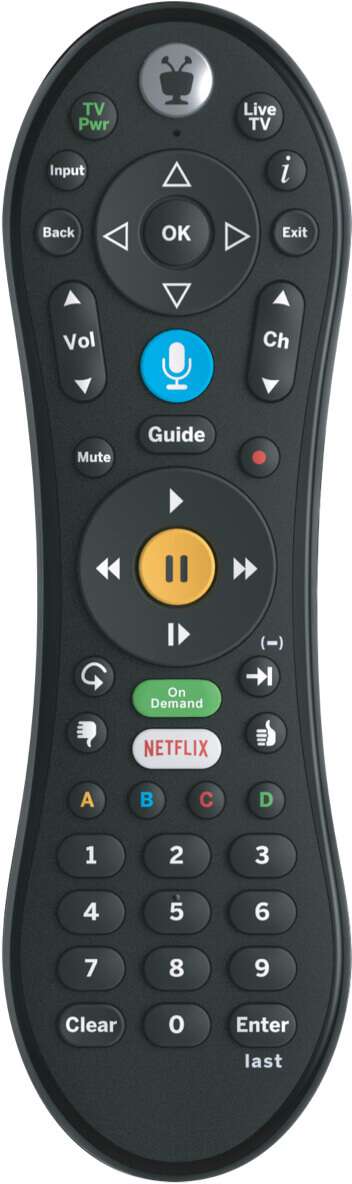
1. Insert batteries
Make sure your new TiVo® Voice Remote is within three feet of the front of your TiVo® box, and insert the batteries into the remote. Your remote should pair with your TiVo® on its own, but if it doesn’t, please follow the steps below.
2. Pair the remote
Press the TiVo® button, located at the top of the remote, and navigate through: TiVo® Menu > Settings > Remote, CableCARD & Devices > Remote Control Setup > Pair remote with your TiVo® box.
While on this screen, press the TiVo® and Back buttons together until the light at the top of the remote remains lit. Release the buttons and the light will blink yellow/amber while pairing.
When the light stops blinking, press the TiVo® button to return to the Home Menu.
Press the blue Voice button on the remote to confirm the blue Voice icon appears on your TV screen. Your TiVo® box is now Voice enabled!
3. Program the remote to control your TV
Press the TiVo® button, located at the top of the remote, and navigate through: TiVo® Menu > Settings > Remote, CableCARD & Devices > Remote Control Setup > Set TV Power, Volume and Mute. From there, use the up/down arrows to locate your TV manufacturer.
TiVo® Experience
The TiVo® Experience offers a fresh look with a new design, faster navigation, and more control than ever before with the powerful Voice Remote.
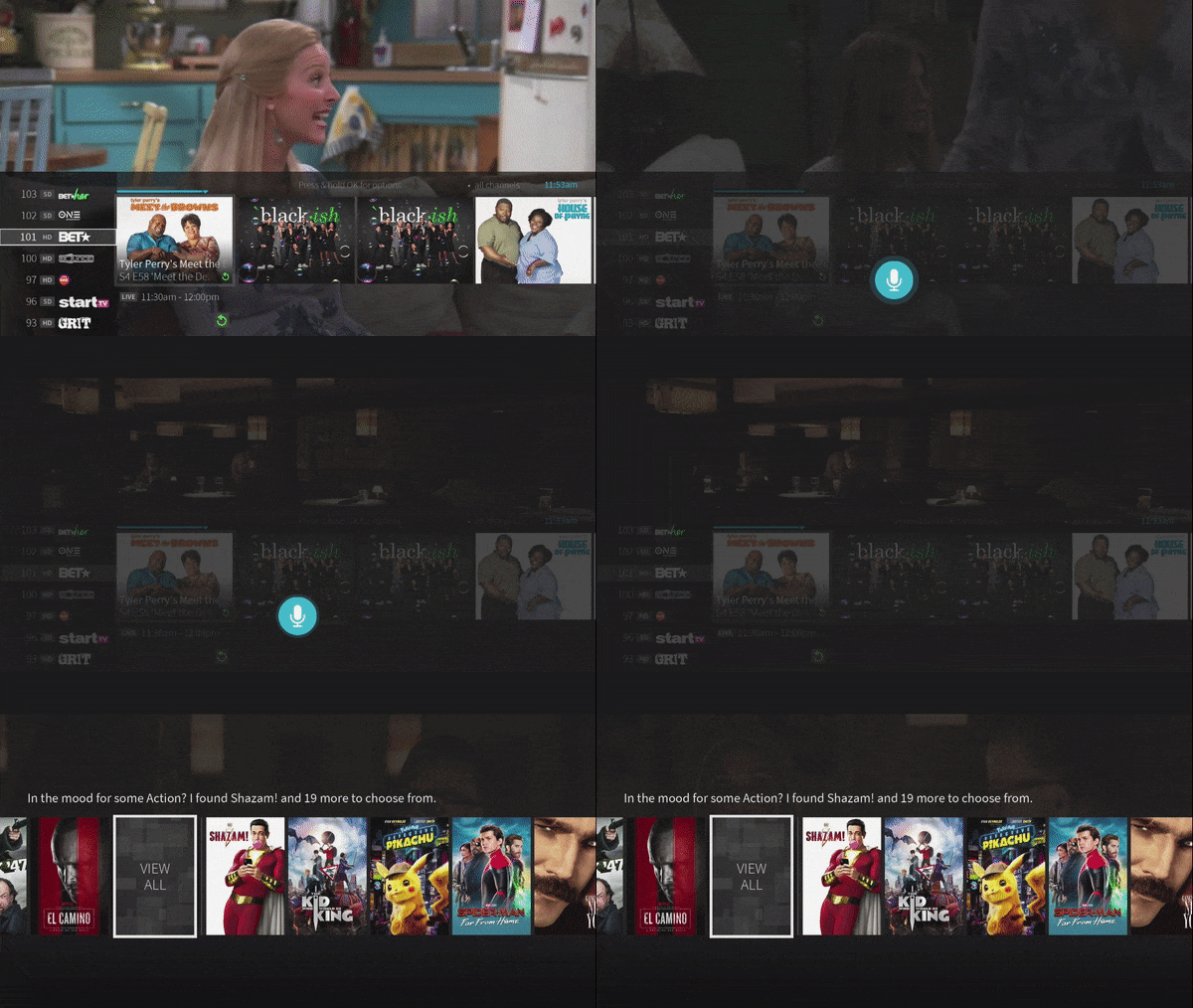
TiVo® voice remote features
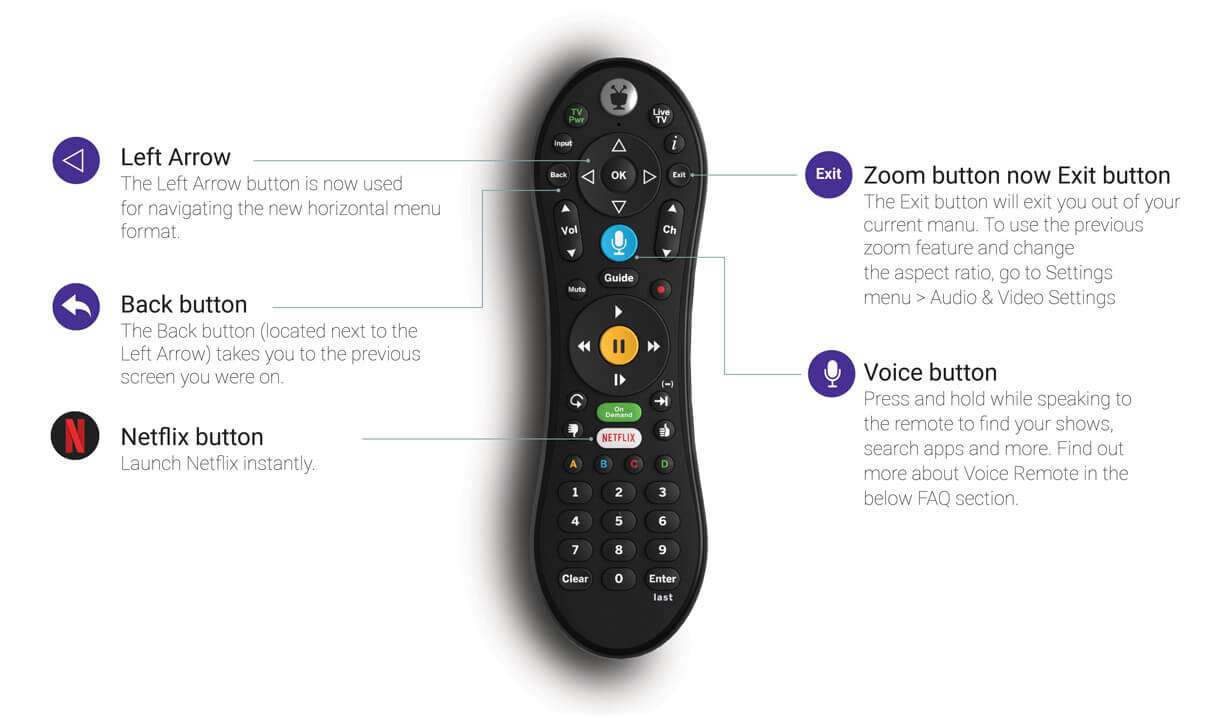
Button functions
The TiVo® remote control has been updated. Features now include:
- Left Arrow: the Left Arrow button is now used for navigating TiVo’s horizontal menu format.
- Back button: Switch to previous screen you were on with the Back button located next to the Left Arrow.
- Zoom button now Exit button: Exit button replaces the Zoom button and exits you out of your current menu. Zoom and aspect ration functions are now located in Settings>Audio&Video Settings.
- Voice button: Press and hold while speaking to activate voice controls.
- Netflix button: Launches Netflix instantly.
See the FAQ below for more information about TiVo® features, buttons and voice control.
Additional TV veiwing resources
- TiVo® Experience
- TV Channel lineups: Find your favorites
- What to watch tonight: New movies, shows and on demand selections, refreshed monthly to keep you up on the latest
- How to set up parental controls for TiVo®
- Channel request form
Frequently asked questions
Do I have to activate my remote?
Your voice remote should pair automatically with your TiVo® box, but if it doesn’t please follow the instructions as outlined above.
Where did the ZOOM button go? That’s where I used to change aspect ratio.
The ZOOM button is now the EXIT button on your remote. To change the aspect ratio, go to the Settings Menu or press the Info button while on a non-HD channel, scroll to the right to Change Panel Mode. You can now use the ZOOM functionality.
How do I get back to the last screen I was on?
The Back button (located next to the left arrow) will take you to the previous screen. This also takes you back to My Shows if you press Back while playing a recording.
What kind of voice commands do I need to say into the remote?
You can do a lot with the TiVo® voice control:
- Tune to a channel: “Watch CBS”
- Browse for something specific. Start with “Show me Tom Hanks movies.” Then narrow your search: “From the 80’s. On Netflix”
- You can even ask for your favorite sports team: “When are the Seahawks playing?”
- Jump ahead or rewind while watching a recording: “Fast forward five minutes”
Are there limitations to what the Voice Remote can do?
Yes. The voice control feature only works within the TiVo® menus. It will not work within apps, such as On Demand, Netflix, Hulu, etc. However, if you use it to search for titles/movies/actors/genre in the TiVo® menu, once it finds the content you are looking for, it will show you all the Viewing Options, and should be 1-click to launch on TV, create a TiVo® OnePass, or play for On Demand, Netflix, Hulu, etc.
What do I do if it seems like I’m missing channels from my lineup?
Some TiVo® boxes may need to have their settings adjusted after the upgrade. Simply go to Settings Menu > Settings > Channel Settings > Channel List. To scroll through the channel list, hit the channel down arrow on your remote. Make sure there is a check mark listed next to the channel you want to show up in your on-screen guide.
What is TiVo® Home?
TiVo® Home is just a new name for TiVo® Central. Pressing the main TiVo® button twice, will take you to My Shows.
Can I still use my current TiVo® remotes with the new experience?
Yes, you can continue to use your current TiVo® remotes to perform most standard functions available prior to the upgrade. To enjoy the new voice capabilities, a Voice Remote will need to be activated for each TV.
Quick links



Looking for something else?
Check out Astound Support Center for all help and support related information.
TiVo features require compatible TiVo device, internet service connection and TV subscription. Start over feature only available up to 3 days. The ability to “start over” or “catch up” may vary by network and is dictated by the content provider. Fast forwarding may be disabled on some shows and is controlled by the content provider. Consider setting a OnePass to record a series to allow for fast forwarding in the future. Cloud DVR is not available on all equipment types. Basic Cloud DVR tier (125 hours) is included with select TV equipment at no extra cost and recordings will be saved for up to 90 days or until space is needed. Most recent recordings will replace older recordings after the 125 hours limit is reached. Upgrade to the Enhanced Cloud DVR tier for an additional $9.99/mo. for 12 months for 250 hours of storage and recordings saved for up to 365 days or until space is needed. Most recent recordings will replace older recordings after the 250 hours limit is reached. Regular rate of $11.99/mo. applies for the Enhanced Cloud DVR tier after the promotional period. ©2026 Xperi. All rights reserved. TiVo and the TiVo logo are registered trademarks of TiVo Brands LLC. All other trademarks and content are the property of their respective owners. Other restrictions apply.
*Internet speeds vary, not guaranteed. Certain equipment may be required. See astound.com for details. Modem req’d. No contracts. Astound Internet is powered by fiber and connected to the premises via coaxial connection or fiber, where available. Delivery methods may vary by area. Subject to availability. Ltd-time offer; subj. to change without notice. Internet speeds under 1 Gig, pricing valid for 12 mos. Gig+ Internet speeds, pricing valid for 36 mos. Add’l fees apply for taxes, surcharges, & data overages, & are subj. to change. For details visit astound.com/fees. Enhanced WiFi or Whole Home WiFi included with Gig+; $5/mo for lower speeds or add’l devices. Regular rates apply after promo ends. Monthly price shown includes discount for enrolling in autopay & e-bill. $10 off/mo w/ bank acct autopay or $5 off/mo w/ credit/debit card autopay. Valid email & enrollment req’d. Must enroll w/in 30 days of order. Discount appears within 3 bill cycles, ends if autopay/e-bill is canceled, svcs change, or acct isn’t in good standing. ^Astound Mobile req’s Astound Internet service for activation. Max 5 lines. Equip., intl./roaming charges, taxes, fees extra & may change. Astound not liable for svc disruptions or outages. Higher rate applies if Internet not maintained. Mobile svc only in Astound areas. Pricing subj. to change. Data may slow during congestion. After 20GB, Unlimited plans slow to 768 Kbps; 1.5GB/3GB plans capped. No rollover; add’l data $10/GB. Coverage varies. Some features may require specific plans. Mobile svc includes BIAS w/ data, voice, texts & SMS. Other restrictions may apply. See astound.com/mobile for details. Offer valid for new res. customers or former customers in good standing w/out Astound svc in past 60 days. Add’l svcs, equip, premiums & tiers extra & subject to add’l charge & reg. increases. $14.99 one-time activation fee (plus install) applies & may change. Taxes & surcharges extra & subj. to change. WA RESIDENTS: unless otherwise specified, price does not include 2% Regulatory Administration Fee. Cust. responsible for any accrued charges. Subj. to credit check. Not all svcs/speeds avail. in all areas. 30-Day Money-Back Guarantee for new residential customers who cancel within 30 days of install. Maximum refund is equal to one month’s monthly recurring service fee of services & equip. ordered & installed. Refund within 60 days after conditions are satisfied. Refund not applicable to usage-based fees. All svcs are governed by Astound Customer Terms & Conditions found at astound.com/policies-disclaimers. © 2026 Radiate HoldCo, LLC d/b/a Astound Broadband. All rights reserved.
Must have Remote Finder capable DVR for feature to work.
Compatible TiVo equipment is required to receive the new TiVo experience and voice command feature. Customer may be required to upgrade all existing TiVo boxes in their home to receive advanced TiVo features and voice remote.