















How to create a MyAstound account

Let's get you started
Access your customer account online with these easy steps.
Note: the images provided are for demonstration only and any specific services shown are subject to local availability.
Please contact us if you have any questions!
Steps to create your new account:
Set up your MyAstound account
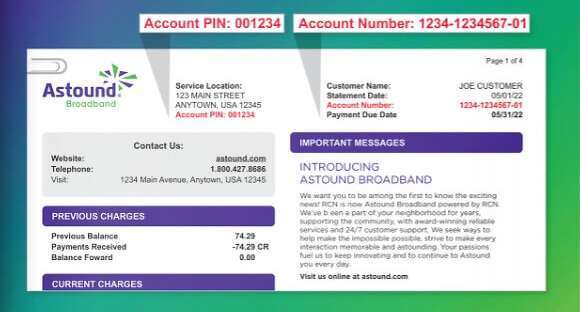
Step 1: Find account number and pin
Have your most recent bill from Astound on hand. Find your account number and your new pin at the top.
Note: your original account number will work to log into your new online account so you can use an old bill, if needed.
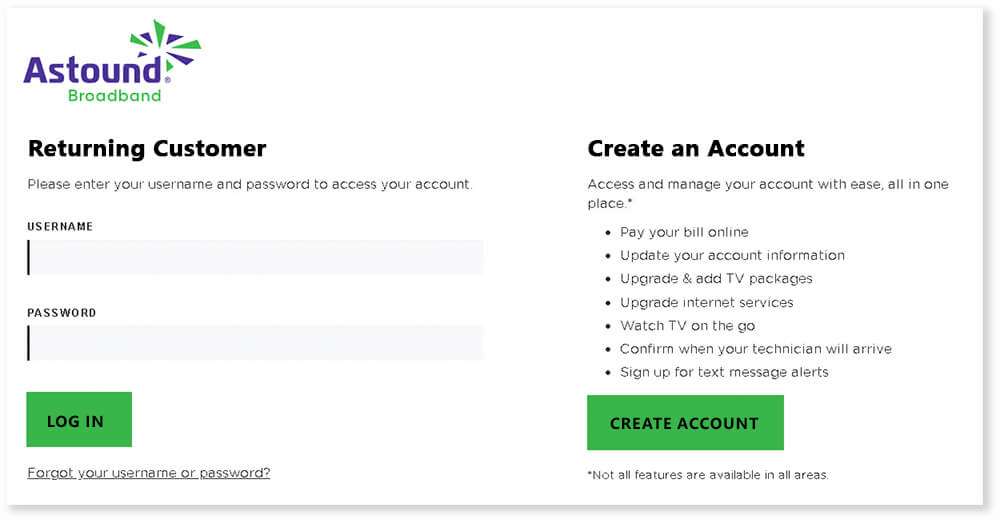
Step 2: Create account
Browse to: https://my.astound.com/login and tap on “Create Account” to continue.
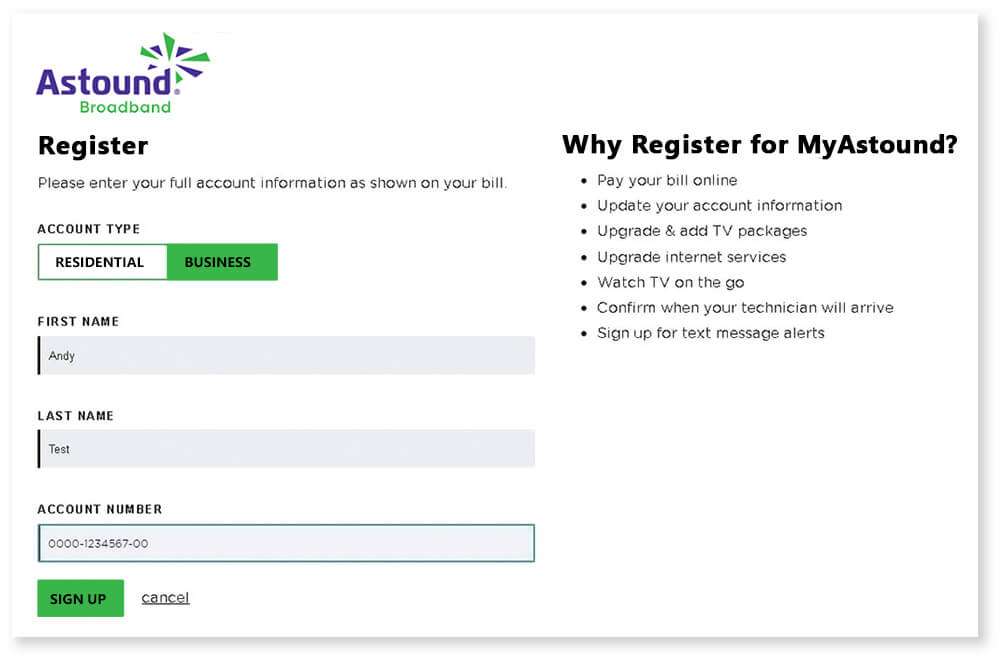
Step 3: Account type and details
Select the Account Type and enter your name and account number.
Then tap “Sign up”.
Note: your original account number will work here so you can use an old bill, if needed.
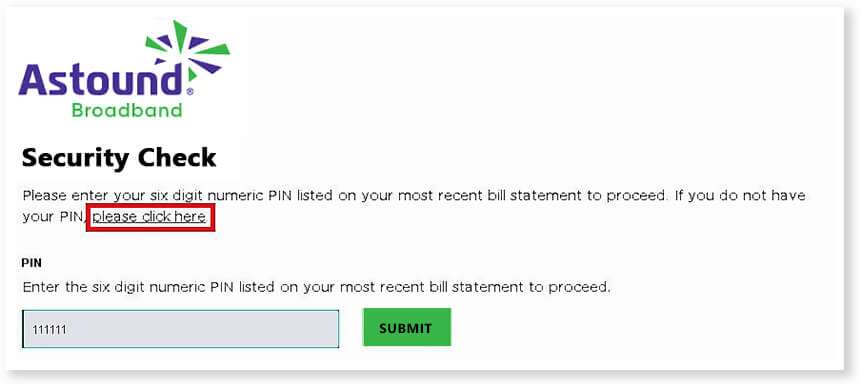
Step 4: Enter your pin or request a pin
You will be prompted to enter your pin. Your pin can be found on your Astound bill or you can tap “please click here” and have a temporary access token emailed to you.
If you DO have your pin
Enter the pin and tap “Submit.”
If you DON’T have your pin
You can request an email to yourself to gain access to your online account. Your temporary access token will be sent shortly to the primary email address you had on file. Your primary email address may be: @gmail.com, @hotmail.com, etc.
If you don’t have an email address on file, you can:
- Request a letter be sent to your home
- Call 1-800-427-8686
- Chat with us online
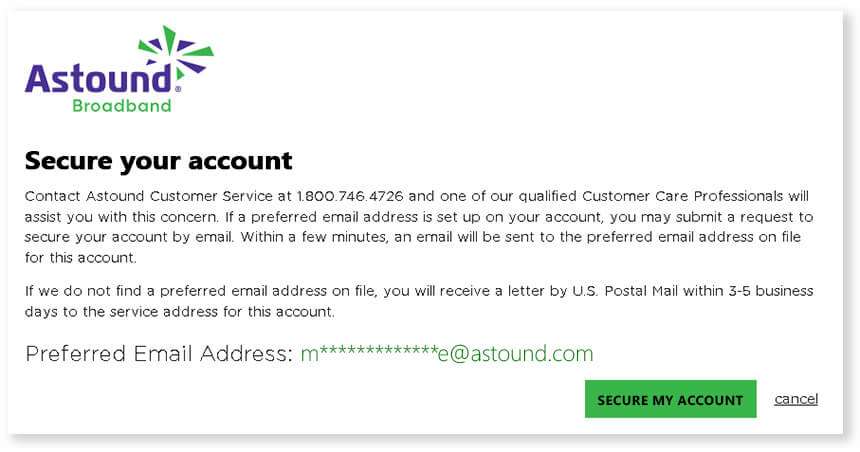
The email you receive will provides a temporary token to securely set up your account. Tap on the “Secure Account Link” line in this email and you will be taken to the account retrieval form.
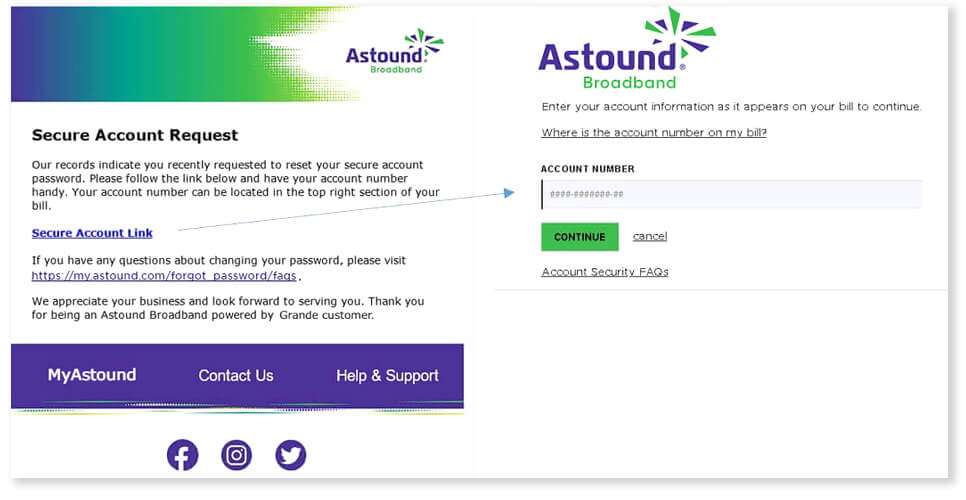
Enter your account number, tap “Continue”, and you will be automatically logged in.
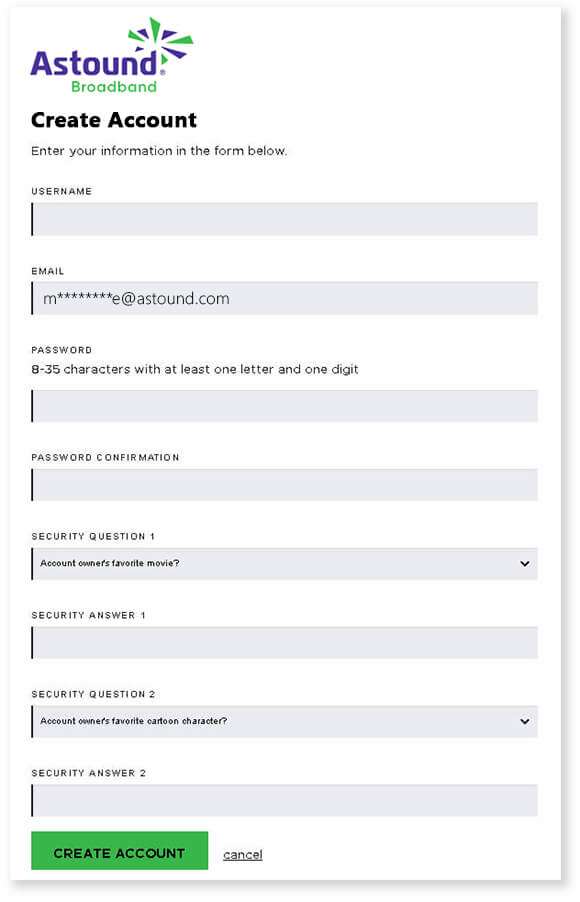
Step 5: Finalize account creation
Lastly, enter the information to finalize your account setup. Choose your preferred username and password, then enter answers to security questions.
Tap “Create Account”.
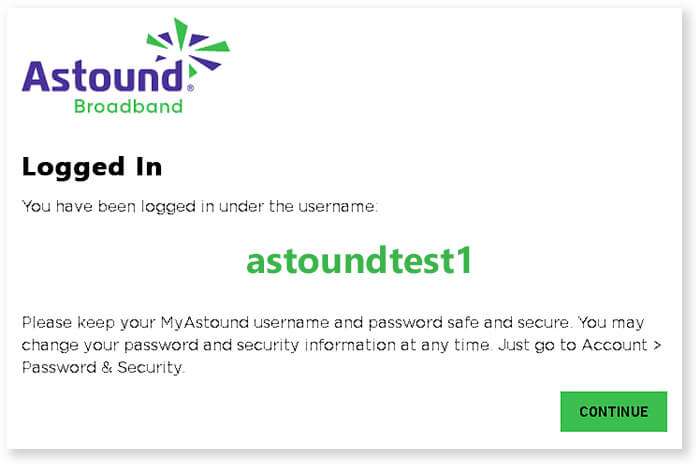
Step 6: Verify and complete account info
Success! You have created your MyAstound account.
Be sure to make note of your username and password for future login, then tap “Continue”.
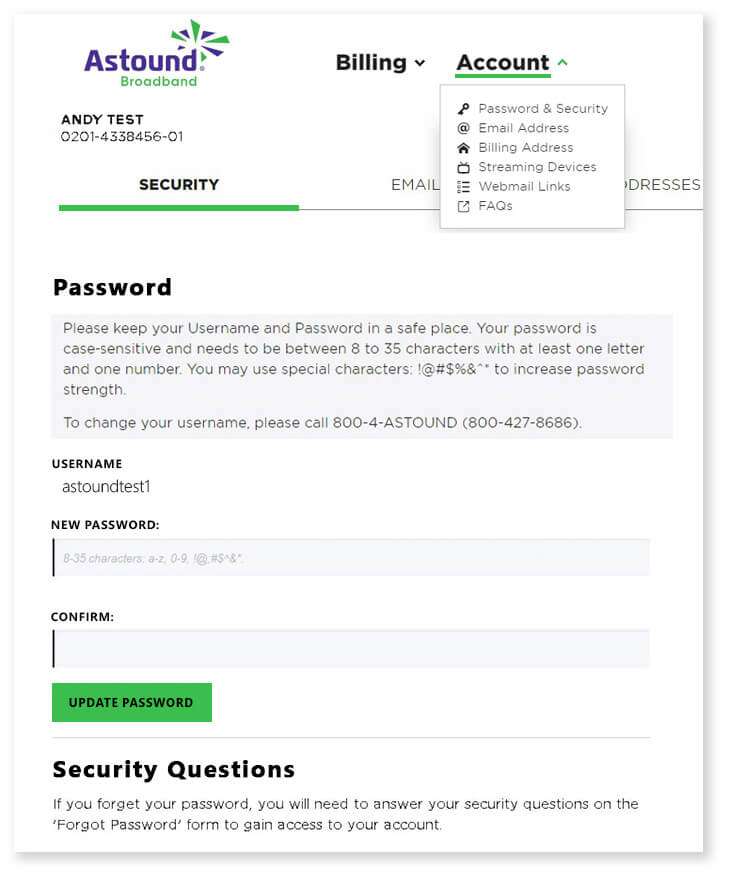
Finish: Once you tap the Continue button, you will automatically be logged into your account. Within MyAstound, you can verify your information, make account changes, pay your bill, and more.
Find your account credentials under “Account > Password & Security”.
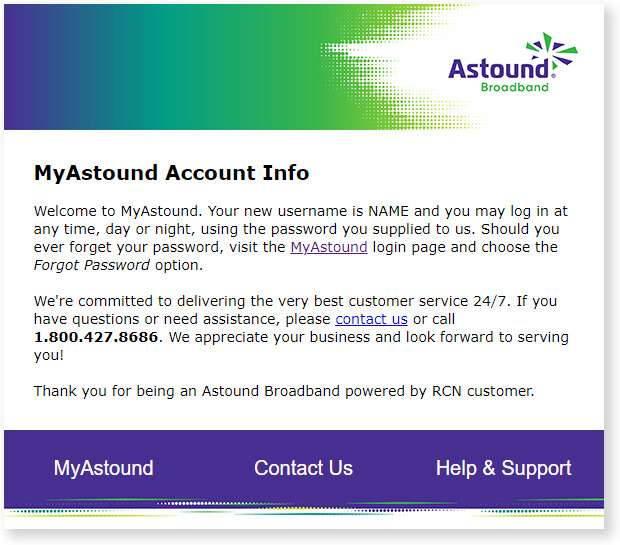
Confirmation: You’ll receive an email confirming your account details. You may wish to file this email for your records.
Now that you have a MyAstound account you can pay your bill online and update your account information. You will be able to watch TV on the go, and select internet and TV packages that best fit your needs.
To keep up on the status of your service, you can opt in to receive text message alerts through your account, as well as confirm technician arrival time.
Welcome to Astound!
Quick links



Looking for something else?
Check out Astound Support Center for all help and support related information.
*Internet speeds vary, not guaranteed. Certain equipment may be required. See astound.com for details. Modem req’d. No contracts. Astound Internet is powered by fiber and connected to the premises via coaxial connection or fiber, where available. Delivery methods may vary by area. Subject to availability. Ltd-time offer; subj. to change without notice. Internet speeds under 1 Gig, pricing valid for 12 mos. Gig+ Internet speeds, pricing valid for 36 mos. Add’l fees apply for taxes, surcharges, & data overages, & are subj. to change. For details visit astound.com/fees. Enhanced WiFi or Whole Home WiFi included with Gig+; $5/mo for lower speeds or add’l devices. Regular rates apply after promo ends. Monthly price shown includes discount for enrolling in autopay & e-bill. $10 off/mo w/ bank acct autopay or $5 off/mo w/ credit/debit card autopay. Valid email & enrollment req’d. Must enroll w/in 30 days of order. Discount appears within 3 bill cycles, ends if autopay/e-bill is canceled, svcs change, or acct isn’t in good standing. ^Astound Mobile req’s Astound Internet service for activation. Max 5 lines. Equip., intl./roaming charges, taxes, fees extra & may change. Astound not liable for svc disruptions or outages. Higher rate applies if Internet not maintained. Mobile svc only in Astound areas. Pricing subj. to change. Data may slow during congestion. After 20GB, Unlimited plans slow to 768 Kbps; 1.5GB/3GB plans capped. No rollover; add’l data $10/GB. Coverage varies. Some features may require specific plans. Mobile svc includes BIAS w/ data, voice, texts & SMS. Other restrictions may apply. See astound.com/mobile for details. Offer valid for new res. customers or former customers in good standing w/out Astound svc in past 60 days. Add’l svcs, equip, premiums & tiers extra & subject to add’l charge & reg. increases. $14.99 one-time activation fee (plus install) applies & may change. Taxes & surcharges extra & subj. to change. WA RESIDENTS: unless otherwise specified, price does not include 2% Regulatory Administration Fee. Cust. responsible for any accrued charges. Subj. to credit check. Not all svcs/speeds avail. in all areas. 30-Day Money-Back Guarantee for new residential customers who cancel within 30 days of install. Maximum refund is equal to one month’s monthly recurring service fee of services & equip. ordered & installed. Refund within 60 days after conditions are satisfied. Refund not applicable to usage-based fees. All svcs are governed by Astound Customer Terms & Conditions found at astound.com/policies-disclaimers. © 2026 Radiate HoldCo, LLC d/b/a Astound Broadband. All rights reserved.
While we have made every attempt to ensure that the information contained in this site has been obtained from reliable sources, Astound is not responsible for any errors or omissions, or for the results obtained from the use of this information. All information in this site is provided “as is”, with no guarantee of completeness, accuracy, timeliness and without warranty of any kind, express or implied, including, but not limited to warranties of performance, merchantability and fitness for a particular purpose. Certain links in this site connect to other websites maintained by third parties over whom Astound has no control. Astound makes no representations as to the accuracy or any other aspect of information contained in other websites.