













eero Mesh WiFi
Reliable, ultra-fast WiFi routers with speeds up to 2 Gigs
Included with gig and higher
Shop Internet PlansWiFi so good, it practically sets itself up

Smart and adaptable WiFi
Connects your entire home and automatically adjusts for the fastest speeds anywhere.

Enhanced WiFi Security
Advanced security featuring parental controls, ad blocking and automatic updates.

Control in your hands
The eero app gives you complete control in the palm of your hand.

Easy guest access
Share WiFi with visitors with one tap – no password needed.
The eero app
Manage your entire home network in one place
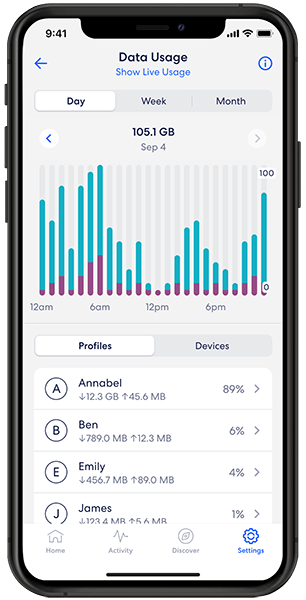
Network Status
Check your speed, connected devices, manage your internet usage and troubleshoot issues on your home’s network.
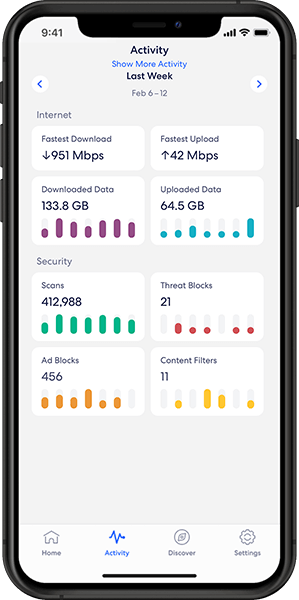
Enhanced Security
Keep your digital devices, personal information, and your home network protected from online threats with eero Secure, included with your Enhanced Whole Home WiFi subscription.
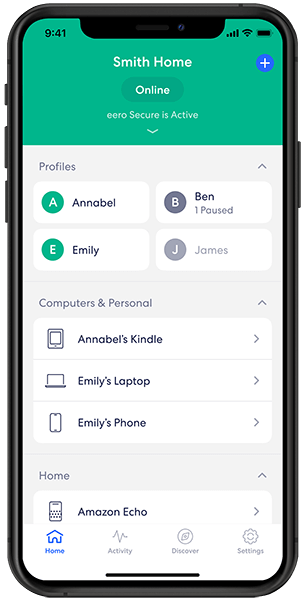
Managing Devices
The eero app is designed to easily manage and view all the connected devices on your home network.
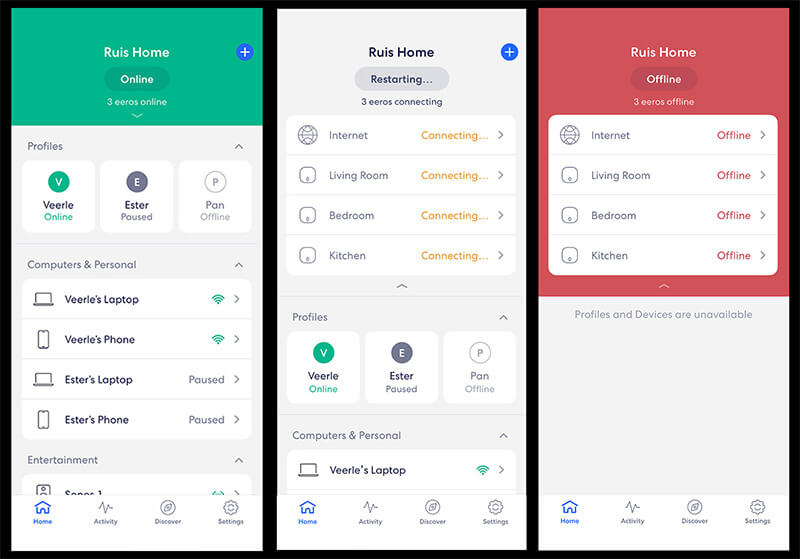
Diagnose & Fix
Check the status and health of your network at any time. Then, uncover and resolve issues to improve your WiFi experience.
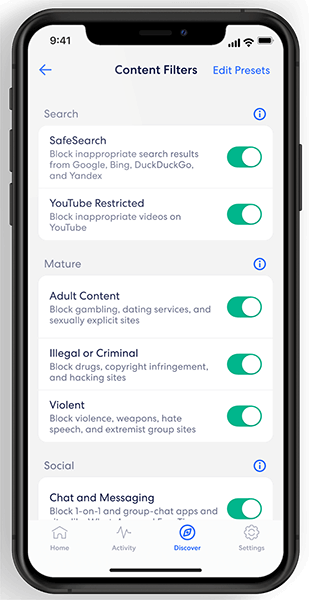
Parental Controls & Guest Network
Create user profiles and assign specific devices to them. Set schedules, pause internet access, and apply specific content filters. Allow guests to join your home network in seconds while they visit.
Safeguard your wireless network with eero Plus
Get more control, enhanced security, and peace of mind with advanced security features that keep you protected.
Experience tomorrow's WiFi, today
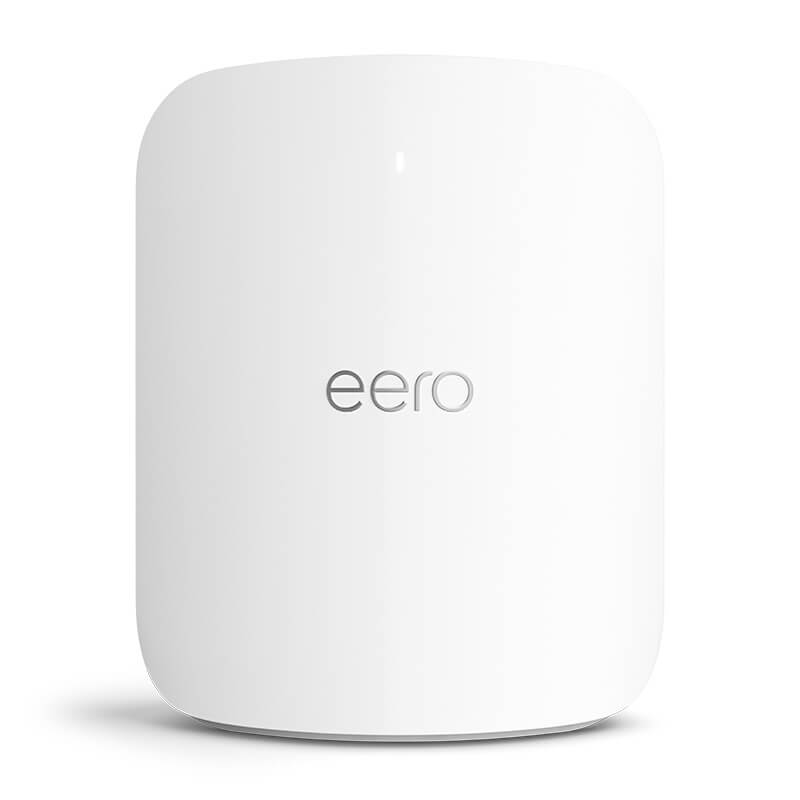
eero Max 7 is the fastest eero ever designed, with wired speeds up to 9.4 Gbps, lightning fast wireless speeds up to 4.3 Gbps and WiFi 7. With eero Max 7, you can confidently video conference, stream in 8K and enjoy network support for AR and VR gaming.
WiFi tips and tricks


Top 9 benefits of mesh WiFi
Elevate your home network with mesh WiFi. Enjoy seamless coverage, faster speeds and enhanced security. Optimize your internet with mesh...

Understanding eero WiFi speeds: Which mesh system is best for you?
Explore our guide to learn the true potential of eero router speed and optimize your home WiFi experience.

What is eero and How many do you need?
Discover the number of eeros needed to enhance your mesh network. Learn how to assess your home's layout and internet...
Frequently asked questions
How does mesh WiFi work?
A mesh network is a WiFi system that uses multiple access points to provide your home with fast, reliable coverage on a single network.
What’s the difference between traditional and mesh networks?
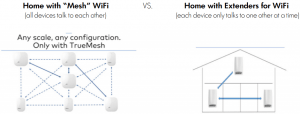
For a traditional router, the most common way to extend a network’s coverage is to use a range extender. However, extenders rely on a single radio to both receive and transmit information. Think of it like a walkie-talkie — you can either listen or speak, but not both at once. Since data only has one path in or out, these extenders end up cutting bandwidth in half. Connecting more and more devices — phones, tablets, laptops, etc. — puts additional stress on that single radio, further affecting performance. Only a single range extender can be added to a router in any given direction. If your router’s located in a far corner of your home, it’s not possible to add multiple range extenders in a row to provide coverage to the other side.
How does a mesh network work?
A mesh network works by placing multiple wireless access points strategically throughout a space, so you and your devices are always close to one. It’s essentially like having multiple routers throughout your home, all working together to bring WiFi to every corner. You can add as many wireless access points as you need, and in any order. And, unlike a single router and a range extender that only transmit data in one direction, eeros allow data to make multiple “hops” to travel throughout your home.
How do I set up Whole Home WiFi?
Set up Whole Home WiFi by connecting your eero device to your modem, using the eero app to complete setup, and adding more devices to extend coverage throughout your home.
How many Whole Home WiFi devices do I need?
Every home is unique, and Whole Home WiFi powered by eero was designed to be flexible so that it can be a fit for any home. Generally, we recommend the number of eeros needed based on the number of bedrooms and/or floors in a home.
- Apartments and Small homes: Since 1-2 eeros are recommended per floor, in these home settings, a great fit would be up to 2 eeros.
- Most homes: If you have a home that has two or more floors, you will likely see best results from 2 or more eeros to deliver the best-connected home experience.
- Larger homes: If you have a larger home, meaning more than three floors, you may benefit most from 3 or more eeros, depending on square footage. Additional eeros are available to rent from Astound.
Can you add mesh WiFi to an existing router?
Yes, you can add a mesh WiFi system to an existing router, but there is a catch. To prevent the two systems from interfering with each other and creating network conflicts, you should configure your existing router into Bridge Mode (or Access Point Mode) and turn off its built-in WiFi broadcast. This allows your new mesh system to handle all your wireless connections while your old router acts simply as a modem pass-through.
What’s the difference between mesh wifi and traditional router?
The main difference lies in coverage architecture and network management:
1. Traditional Router: Broadcasts a internet signal from a single, central point. As you move further away from the router or behind thick walls, the signal degrades significantly, creating “dead zones.”
2. Mesh WiFi: Uses a central hub and multiple satellite nodes placed throughout your home. They all share the same network name (SSID) and work together to create a single, continuous blanket of coverage.
Does mesh WiFi go through walls?
Yes, mesh WiFi signals go through walls, but like all wireless signals, they lose some strength depending on the building materials. Standard drywall and wood cause very little interference, while brick, concrete, plaster, and metal can severely weaken the signal.
Note: In a mesh system, you can strategically place nodes around obstructions or near doorways to route the signal effectively through your home, rather than forcing a single router to punch through multiple walls.
Is mesh WiFi better than a router?
A mesh WiFi system is better than a traditional router if you have a large home (over 2,000 sq. ft.), multiple floors, or an unusual architectural layout with persistent dead zones. With Mesh WiFi, you can get seamless roaming, meaning your device automatically switches to the strongest node as you move from room to room without disconnecting.
However, if you live in a smaller home or apartment with an open floor plan, a high-quality traditional router is usually sufficient and more cost-effective.
What is eero mesh?
Eero mesh is an app-managed whole-home Wi-Fi system that replaces traditional routers with multiple interconnected nodes to eliminate dead zones. It uses “TrueMesh” technology to intelligently route data, ensuring fast, reliable, and consistent connectivity for numerous devices across large homes
What is mesh WiFi system?
A Wi-Fi mesh system is a home networking solution that uses multiple, interconnected devices (a main router and satellite nodes) to create a single, seamless Wi-Fi network that eliminates dead zones, unlike traditional routers. These nodes work together to provide consistent, high-speed internet throughout a home, allowing devices to automatically switch to the strongest signal without disconnecting.
Does mesh WiFi improve internet speed?
Mesh WiFi generally improves internet speed and performance throughout a home by eliminating dead zones and providing strong, consistent coverage. While it cannot boost the maximum speed provided by your ISP, it helps maintain high speeds across larger areas and multiple devices, often outperforming single routers and extenders.
Is mesh WiFi good for gaming and streaming?
Yes, mesh WiFi is generally excellent for streaming and gaming, particularly in larger homes, as it provides wide coverage, eliminates dead zones, and manages multiple devices better than traditional routers.
What is the difference between mesh WiFi and WiFi extenders?
A WiFi extender acts as a signal repeater, often creating a separate network name and cutting speeds in half as it rebroadcasts your existing signal. In contrast, a mesh system uses multiple nodes to create a single, seamless network that maintains high speeds and automatically connects your device to the strongest signal as you move.
Create the perfect bundle
Get the speed, WiFi, mobile and TV that’s just right for you.
*Internet speeds vary, not guaranteed. Certain equipment may be required to reach advertised speeds. ^^Available in select areas. DOCSIS 3.1 modem with 2.5GE physical LAN port is required for 1 Gigabit speeds and higher. See astound.com/yourspeed for why speeds may vary. To view Astound’s FCC Network Management Disclosure see astound.com/policies-disclaimers. Modem required for Internet service. No contract required. Subject to availability. Ltd-time offer; subj. to change. Internet pricing valid for 12 mos. Gig+ internet service price for life for add’l $5/mo. Excludes taxes, surcharges, & fees. Offer subj. to change. Pricing valid from start; subj. to change thereafter. Std. WiFi included. Whole Home WiFi included w/ 2 Gig+ svc; $10/mo for lower speeds or add’l devices. Regular rates apply after promotion ends. Price reflects autopay & e-bill discount for enrolling in autopay & e-bill with ACH. Valid email & enrollment required. Discount is applied within 3 bill cycles and ends if autopay or e-bill is canceled, services change, or the account is not in good standing. ^Ltd-time offer; subj. to change. Free mobile offer = 1 Unlimited line w/ monthly credit for 12 mos from activation. Std rates apply after promo or if qualifying svcs not maintained. Limit 1 free line/account; not valid on existing lines. Add’l lines avail. at extra cost. Astound Mobile req’s Astound Internet service for activation. Max 5 lines. Equip., intl./roaming charges, taxes, fees extra & may change. Astound not liable for svc disruptions or outages. Higher rate applies if Internet not maintained. Mobile svc only in Astound areas. Pricing subj. to change. Data may slow during congestion. After 20GB, Unlimited plans slow to 768 Kbps; 1.5GB/3GB plans capped. No rollover; add’l data $10/GB. Coverage varies. Some features may require specific plans. Mobile svc includes BIAS w/ data, voice, texts & SMS. Other restrictions may apply. See astound.com/mobile for details. A one-time activation fee of $14.99 (in addition to any installation fees) will be charged. WA RESIDENTS: unless otherwise specified, price does not include 2% Regulatory Administration Fee. Cust. responsible for any accrued charges. Subj. to credit check. Not all svcs/speeds avail. in all areas. 30-Day Money-Back Guarantee for new residential customers who cancel within 30 days of install. Max refund = 1 month’s recurring service & equip. fees. Refund issued within 60 days if all conditions met. Excludes usage-based fees. ©2026 Amazon.com, Inc. or its affiliates. eero and all related marks are trademarks of Amazon.com, Inc. or its affiliates. Amazon.com c/o eero LLC, 660 3rd St. San Francisco, CA. All svcs are governed by Astound Customer Terms & Conditions found at astound.com/policies-disclaimers. © 2026 Radiate HoldCo, LLC d/b/a Astound Broadband. All rights reserved.
Price for Life locks in your monthly service rate for as long as you maintain the same qualifying internet service without changes, downgrades, or disconnection. Additional fees, equipment charges, taxes, surcharges, and discounts are subject to change and are not guaranteed for life.
Whole Home WiFi: Activation and installation not included. Up to $40/mo for Whole Home WiFi equipment. Additional eero devices available for an additional cost, per device. ©2026 Amazon.com, Inc. or its affiliates. eero and all related marks are trademarks of Amazon.com, Inc. or its affiliates. Amazon.com c/o eero LLC, 660 3rd St. San Francisco, CA.