















eero Mesh WiFi
Reliable, ultra-fast WiFi routers with speeds up to 2 Gigs
Included with gig and higher
Shop Internet PlansWiFi so good, it practically sets itself up

Smart and adaptable WiFi
Connects your entire home and automatically adjusts for the fastest speeds anywhere.

Enhanced WiFi Security
Advanced security featuring parental controls, ad blocking and automatic updates.

Control in your hands
The eero app gives you complete control in the palm of your hand.

Easy guest access
Share WiFi with visitors with one tap – no password needed.
The eero app
Manage your entire home network in one place
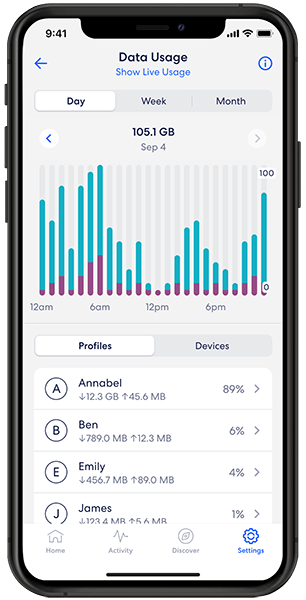
Network Status
Check your speed, connected devices, manage your internet usage and troubleshoot issues on your home’s network.
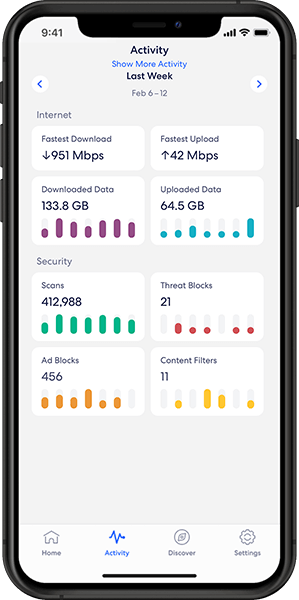
Enhanced Security
Keep your digital devices, personal information, and your home network protected from online threats with eero Secure, included with your Enhanced Whole Home WiFi subscription.
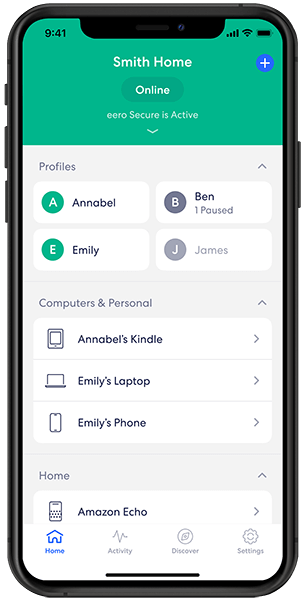
Managing Devices
The eero app is designed to easily manage and view all the connected devices on your home network.
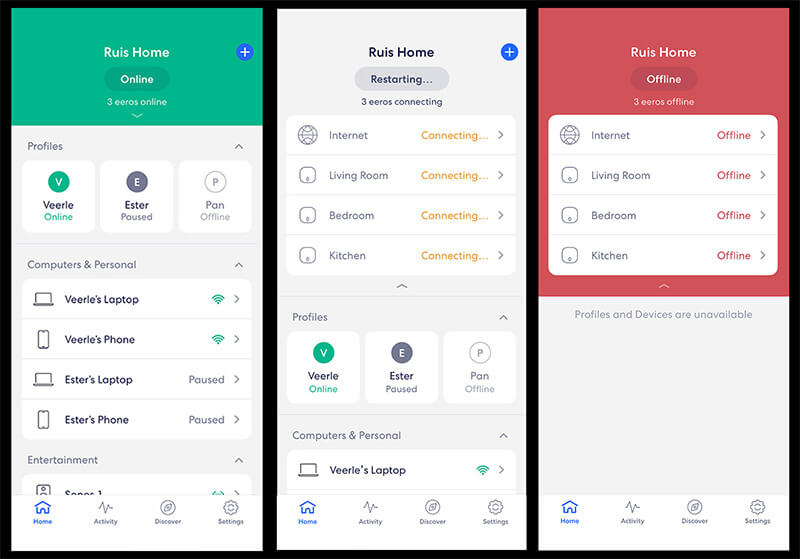
Diagnose & Fix
Check the status and health of your network at any time. Then, uncover and resolve issues to improve your WiFi experience.
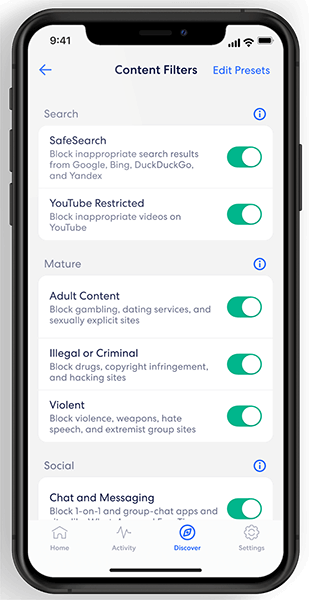
Parental Controls & Guest Network
Create user profiles and assign specific devices to them. Set schedules, pause internet access, and apply specific content filters. Allow guests to join your home network in seconds while they visit.
Safeguard your wireless network with eero Plus
Get more control, enhanced security, and peace of mind with advanced security features that keep you protected.
Experience tomorrow's WiFi, today
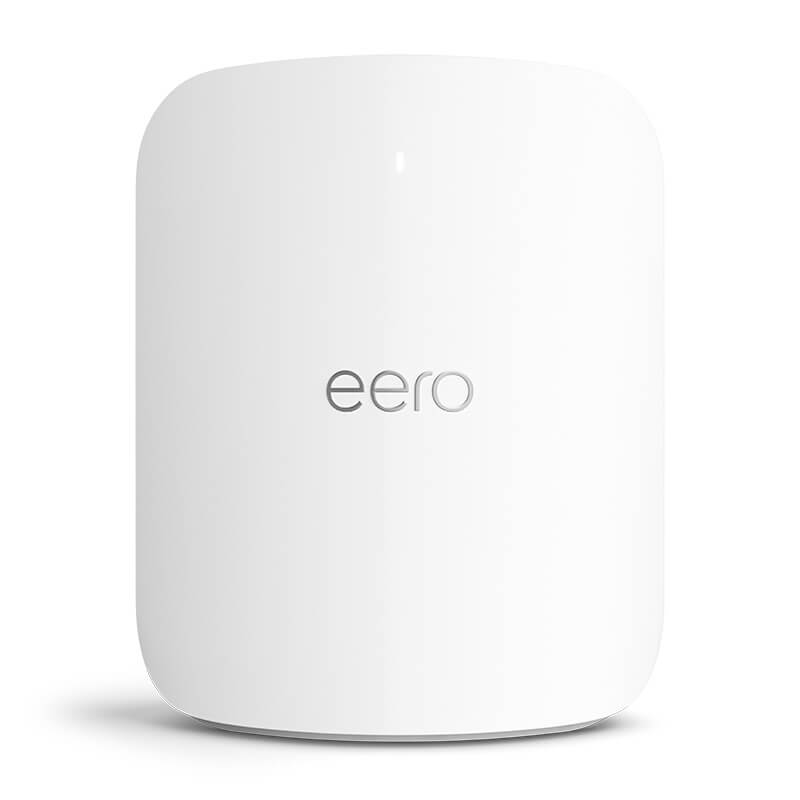
eero Max 7 is the fastest eero ever designed, with wired speeds up to 9.4 Gbps, lightning fast wireless speeds up to 4.3 Gbps and WiFi 7. With eero Max 7, you can confidently video conference, stream in 8K and enjoy network support for AR and VR gaming.
WiFi tips and tricks


Top 9 benefits of mesh WiFi
Elevate your home network with mesh WiFi. Enjoy seamless coverage, faster speeds and enhanced security. Optimize your internet with mesh...

How fast is eero WiFi? (Max speeds explained)
Explore our guide to learn the true potential of eero router speed and optimize your home WiFi experience.

How many eeros do I need?
Discover the number of eeros needed to enhance your mesh network. Learn how to assess your home's layout and internet...
Frequently asked questions
How does mesh WiFi work?
A mesh network is a WiFi system that uses multiple access points to provide your home with fast, reliable coverage on a single network.
What’s the difference between traditional and mesh networks?
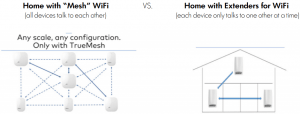
For a traditional router, the most common way to extend a network’s coverage is to use a range extender. However, extenders rely on a single radio to both receive and transmit information. Think of it like a walkie-talkie — you can either listen or speak, but not both at once. Since data only has one path in or out, these extenders end up cutting bandwidth in half. Connecting more and more devices — phones, tablets, laptops, etc. — puts additional stress on that single radio, further affecting performance. Only a single range extender can be added to a router in any given direction. If your router’s located in a far corner of your home, it’s not possible to add multiple range extenders in a row to provide coverage to the other side.
How does a mesh network work?
A mesh network works by placing multiple wireless access points strategically throughout a space, so you and your devices are always close to one. It’s essentially like having multiple routers throughout your home, all working together to bring WiFi to every corner. You can add as many wireless access points as you need, and in any order. And, unlike a single router and a range extender that only transmit data in one direction, eeros allow data to make multiple “hops” to travel throughout your home.
How do I set up Whole Home WiFi?
Set up Whole Home WiFi by connecting your eero device to your modem, using the eero app to complete setup, and adding more devices to extend coverage throughout your home.
How many Whole Home WiFi devices do I need?
Every home is unique, and Whole Home WiFi powered by eero was designed to be flexible so that it can be a fit for any home. Generally, we recommend the number of eeros needed based on the number of bedrooms and/or floors in a home.
- Apartments and Small homes: Since 1-2 eeros are recommended per floor, in these home settings, a great fit would be up to 2 eeros.
- Most homes: If you have a home that has two or more floors, you will likely see best results from 2 or more eeros to deliver the best-connected home experience.
- Larger homes: If you have a larger home, meaning more than three floors, you may benefit most from 3 or more eeros, depending on square footage. Additional eeros are available to rent from Astound.
Can you add mesh WiFi to an existing router?
Yes, you can add a mesh WiFi system to an existing router, but there is a catch. To prevent the two systems from interfering with each other and creating network conflicts, you should configure your existing router into Bridge Mode (or Access Point Mode) and turn off its built-in WiFi broadcast. This allows your new mesh system to handle all your wireless connections while your old router acts simply as a modem pass-through.
What’s the difference between mesh wifi and traditional router?
The main difference lies in coverage architecture and network management:
1. Traditional Router: Broadcasts a internet signal from a single, central point. As you move further away from the router or behind thick walls, the signal degrades significantly, creating “dead zones.”
2. Mesh WiFi: Uses a central hub and multiple satellite nodes placed throughout your home. They all share the same network name (SSID) and work together to create a single, continuous blanket of coverage.
Does mesh WiFi go through walls?
Yes, mesh WiFi signals go through walls, but like all wireless signals, they lose some strength depending on the building materials. Standard drywall and wood cause very little interference, while brick, concrete, plaster, and metal can severely weaken the signal.
Note: In a mesh system, you can strategically place nodes around obstructions or near doorways to route the signal effectively through your home, rather than forcing a single router to punch through multiple walls.
Is mesh WiFi better than a router?
A mesh WiFi system is better than a traditional router if you have a large home (over 2,000 sq. ft.), multiple floors, or an unusual architectural layout with persistent dead zones. With Mesh WiFi, you can get seamless roaming, meaning your device automatically switches to the strongest node as you move from room to room without disconnecting.
However, if you live in a smaller home or apartment with an open floor plan, a high-quality traditional router is usually sufficient and more cost-effective.
Create the perfect bundle
Get the speed, WiFi, mobile and TV that’s just right for you.
*Internet speeds vary, not guaranteed. Certain equipment may be required. See astound.com for details. Modem req’d. No contracts. Astound Internet is powered by fiber and connected to the premises via coaxial connection or fiber, where available. Delivery methods may vary by area. Subject to availability. Ltd-time offer; subj. to change without notice. Internet speeds under 1 Gig, pricing valid for 12 mos. Gig+ Internet speeds, pricing valid for 36 mos. Add’l fees apply for taxes, surcharges, & data overages, & are subj. to change. For details visit astound.com/fees. Enhanced WiFi or Whole Home WiFi included with Gig+; $5/mo for lower speeds or add’l devices. Regular rates apply after promo ends. Monthly price shown includes discount for enrolling in autopay & e-bill. $10 off/mo w/ bank acct autopay or $5 off/mo w/ credit/debit card autopay. Valid email & enrollment req’d. Must enroll w/in 30 days of order. Discount appears within 3 bill cycles, ends if autopay/e-bill is canceled, svcs change, or acct isn’t in good standing. ^Astound Mobile req’s Astound Internet service for activation. Max 5 lines. Equip., intl./roaming charges, taxes, fees extra & may change. Astound not liable for svc disruptions or outages. Higher rate applies if Internet not maintained. Mobile svc only in Astound areas. Pricing subj. to change. Data may slow during congestion. After 20GB, Unlimited plans slow to 768 Kbps; 1.5GB/3GB plans capped. No rollover; add’l data $10/GB. Coverage varies. Some features may require specific plans. Mobile svc includes BIAS w/ data, voice, texts & SMS. Other restrictions may apply. See astound.com/mobile for details. Offer valid for new res. customers or former customers in good standing w/out Astound svc in past 60 days. Add’l svcs, equip, premiums & tiers extra & subject to add’l charge & reg. increases. $14.99 one-time activation fee (plus install) applies & may change. Taxes & surcharges extra & subj. to change. WA RESIDENTS: unless otherwise specified, price does not include 2% Regulatory Administration Fee. Cust. responsible for any accrued charges. Subj. to credit check. Not all svcs/speeds avail. in all areas. 30-Day Money-Back Guarantee for new residential customers who cancel within 30 days of install. Maximum refund is equal to one month’s monthly recurring service fee of services & equip. ordered & installed. Refund within 60 days after conditions are satisfied. Refund not applicable to usage-based fees. All svcs are governed by Astound Customer Terms & Conditions found at astound.com/policies-disclaimers. © 2026 Radiate HoldCo, LLC d/b/a Astound Broadband. All rights reserved.
Whole Home WiFi: Activation and installation not included. Up to $40/mo for Whole Home WiFi equipment. Additional eero devices available for an additional cost, per device. ©2026 Amazon.com, Inc. or its affiliates. eero and all related marks are trademarks of Amazon.com, Inc. or its affiliates. Amazon.com c/o eero LLC, 660 3rd St. San Francisco, CA.