















Mesh WiFi nodes explained: What, where and how many
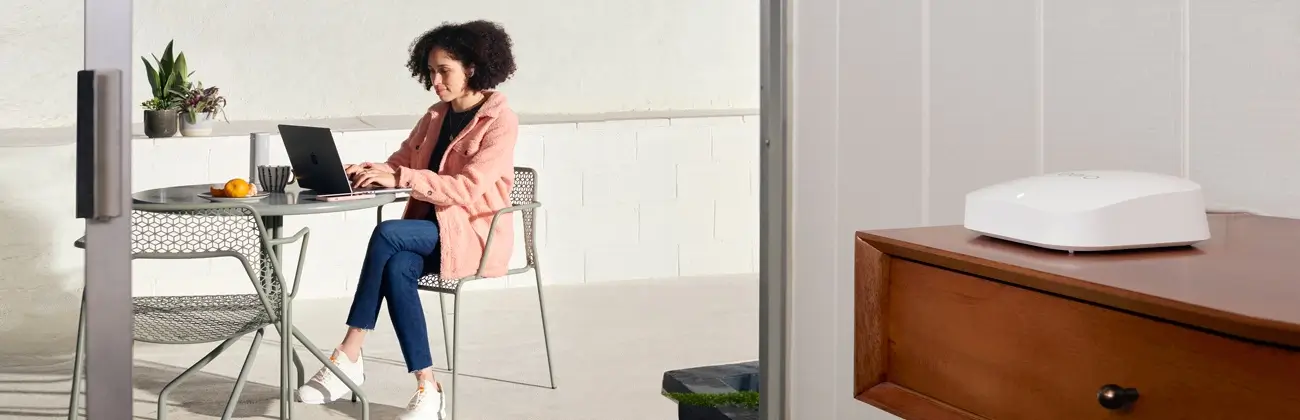
A single, traditional router used to handle all of a home’s WiFi needs. With streaming, video calls and smart devices putting even more strain on home networks, one access point rarely reaches every corner.
A mesh system solves this by using several small radios, called nodes, to relay the signal from room to room. These devices form a web of connections so your network doesn’t depend on a single hub. This guide explains what mesh nodes are, how they work and how many you need to enjoy stable, consistent coverage without dead zones.
What you'll learn:
- What is a mesh WiFi node?
- How mesh WiFi works: The role of nodes in a mesh network
- Why use mesh nodes: Benefits vs. traditional WiFi
- How many mesh nodes do you need: Estimating node count by home size and layout
- Where to place mesh nodes: Best practices for placement and coverage
- Limitations and when mesh nodes aren’t the best option
- Quick checklist: How to plan a mesh WiFi deployment for your home
- Conclusion: Are mesh nodes right for you?
- Frequently asked questions
- Looking for more topics?
What is a mesh WiFi node?
In a mesh network the term “node” refers to any piece of hardware that participates in relaying the WiFi signal. Every mesh kit includes at least one primary node that plugs into your modem and acts as the gateway. Additional nodes, sometimes called satellites or access points, extend coverage by talking to the gateway and to each other. Because these devices form a web of connections, they don’t rely on a single hub.
Whole home WiFi providers, like eero, use proprietary TrueMesh technology to ensure each unit can connect to any other in range across both the 2.4 GHz and 5 GHz bands. By using two bands, mesh networks, like eero, create multiple paths for data, so a packet of information can always find its way, even if one node is busy or obstructed.
In some cases, tri‑band nodes add a third radio, the 6 GHz band. That extra band is used exclusively for the backhaul between nodes, leaving the remaining two bands free to serve your devices. If you have a Gigabit internet plan from Astound, tri‑band hardware can help maintain top speeds. Some next‑generation systems adopt WiFi 6e and WiFi 7, which open new channels in the 6 GHz band for even less congestion.
Unlike standalone routers that broadcast from one location, mesh nodes are designed to be spread throughout your home, working cooperatively to broadcast the same network name and password. Your phone or laptop sees just one network and it automatically connects to whichever node offers the strongest signal as you move around.
This roaming happens behind the scenes, so there’s no need to manually switch networks.
WiFi that just works!
WiFi plans for any home
Tiny, large or somewhere in between; find WiFi coverage to fit any space. Blanket your entire home with a fast and ultra‑reliable connection.
How mesh WiFi works: The role of nodes in a mesh network
Mesh networks differ from traditional extender setups because every node can talk to several neighbors.
Data isn’t forced through a single hub; it hops across nodes and takes the best available route to the internet. If one node fails or encounters interference, traffic automatically reroutes through another path.
Everything happens behind the scenes. Mesh systems broadcast a single network name, and your device always connects to the node with the strongest signal automatically. Modern apps let you view connected devices, run speed tests and update firmware over the air so the network can improve itself.
Traditional range extenders handle traffic differently. They create a second network name and repeat whatever they hear from the main router. Because they spend half their time listening and half transmitting, extenders often cut throughput in half and force your devices to reconnect when you roam.
Mesh nodes avoid that problem by acting as equals. They broadcast the same SSID and automatically balance traffic among themselves. As a result, you don’t have to remember which network to join when moving between floors or rooms; the system makes that decision for you and keeps speeds more consistent.
Why use mesh nodes: Benefits vs. traditional WiFi
Coverage is the primary advantage of a mesh WiFi system. A single router placed in one area of the home may serve nearby rooms well but struggle to reach bedrooms, basements or outdoor spaces. Traditional range extenders can help, but they often create a separate network and reduce performance because they simply repeat the router’s signal.
With mesh WiFi, each node functions as both an access point and a relay, allowing you to place nodes in problem areas to extend coverage more evenly throughout the home. Because nodes can communicate with multiple neighbors, the system automatically routes data along the most efficient path, even when one node is busy.
Astound’s mesh WiFi system, eero, is designed to be flexible and scalable. In the case of eero, most kits start with three nodes, and additional units can be added through the app as your space or needs change, such as finishing a basement or adding a home office. The network automatically incorporates new nodes.
By spreading traffic across multiple radios, mesh WiFi handles large numbers of connected devices more reliably, which is especially helpful in homes with smart lighting, cameras, televisions and laptops.
Management is simpler as well. A single app lets you view connected devices, create guest networks and keep firmware up to date, reducing the need to manage multiple network settings or access complicated admin panels.

Mesh WiFi with
eero Secure
Enhanced Whole Home WiFi uses multiple routers (or eeros®) to boost range, speed and stability—while eero Secure, included at no extra cost, offers parental controls, ad blocking and internet backup for constant connectivity.
How many mesh nodes do you need: Estimating node count by home size and layout
Choosing the right number of mesh nodes helps you get reliable coverage without paying for more hardware than you need. The biggest factors to consider are your home’s square footage, layout, construction materials and how you use the internet day to day.
Astound recommends starting by measuring your space, since coverage estimates can shrink depending on walls, floors and interference.
As a general guideline, each node in commonly recommended eero mesh kits covers about 1,500 to 2,200 square feet under typical conditions.
For smaller apartments and townhomes under roughly 1,500 square feet, a single router with one additional node is often enough to deliver consistent coverage. Medium-size homes between about 1,500 and 3,000 square feet usually benefit from two or three nodes placed to evenly distribute the signal across living areas and upper or lower levels. In these setups, placing the gateway near the modem, a second node centrally and a third near distant rooms or upstairs helps balance coverage.
Larger homes, multi-story layouts, or older buildings with thick walls may require three or four nodes to reach every corner. In those cases, placing nodes on different floors and at opposite ends of the home can help overcome structural obstacles.
However, adding too many wireless nodes can reduce performance by introducing extra hops, so it’s generally best to avoid exceeding four or five nodes in a single wireless mesh system. For very large properties or areas like detached garages or outdoor spaces, wired access points or Ethernet backhaul may be a better solution for maintaining consistent speeds.
How you use the internet matters just as much as the size of your home. Streaming, online gaming, video calls and cloud backups place higher demands on your network than basic browsing. Faster internet plans and busy households can benefit from tri-band or WiFi 6e mesh systems that handle heavy traffic more efficiently, while lighter users may see little difference beyond a certain number of nodes. The best approach is to start with a basic mesh kit, test coverage throughout your home and add nodes only where performance still falls short.
Where to place mesh nodes: Best practices for placement and coverage
Once you know how many units you need, placement becomes the biggest factor in performance for your Whole Home WiFi plan. The goal is to position nodes so they can communicate clearly with both the gateway and the devices they serve.
WiFi signals travel best through open spaces, so mesh network leaders like eero recommend placing the primary node in a central, open location whenever possible.
If your modem is tucked into a closet or along one edge of the house, using a short Ethernet cable to move the gateway into a more open area can noticeably improve coverage. Additional nodes should be placed between the gateway and hard-to-reach areas such as bedrooms, basements or home offices. In multi-story homes, plan to place at least one node on each level and stagger them so coverage overlaps.
Distance between nodes matters as well. Wireless backhaul works best when nodes are no more than about 50 feet apart. If rooms are large, floors are stacked, or walls are especially thick, placing nodes closer together helps maintain a strong connection.
Most mesh systems include an app that tests signal strength between nodes and alerts you if a unit is too far away. After setup, walk through your home while streaming video or running speed tests to identify any weak spots. Small adjustments, like moving a node a few feet, can often make a noticeable difference.
Finally, pay attention to how and where nodes are physically placed. Keep them in open areas rather than inside cabinets or behind TVs and avoid positioning them near metal objects, microwaves or baby monitors. When possible, using wired backhaul by connecting nodes with Ethernet can further improve performance by freeing wireless radios to focus on serving your devices, which is especially helpful in larger or busier homes.
most popular resource
Optimize your internet speed
Is WiFi interference slowing your internet speeds? Here are a few tips to optimize and maximize your home’s high speed internet performance.

Limitations and when mesh nodes aren’t the best option
While mesh WiFi can be a great solution for many homes, it isn’t always necessary. If you live in a small space like a studio or one-bedroom apartment, a single modern router may already give you reliable coverage in every room.
Cost is another consideration. Mesh kits are typically more expensive than basic routers, so investing in additional hardware may not make sense if you aren’t experiencing dead zones or connectivity issues.
Additionally, performance can be affected by how mesh systems communicate. Wireless backhaul can reduce throughput as data hops between nodes, with each hop cutting into available bandwidth. If you’re aiming for Gigabit speeds in a large home, wired backhaul or professionally installed access points may be a better option to avoid bottlenecks.
Consider your home construction. Reinforced concrete, brick walls and metal siding can severely weaken WiFi signals. In homes with thick masonry or foil-backed insulation, even a mesh network may struggle unless nodes are placed carefully or connected with Ethernet.
As you build your network, it’s important to understand what mesh WiFi can and can’t do. A mesh system doesn’t increase the speed of your internet service; it simply distributes that speed more evenly. If your plan tops out at 100 Mbps, your devices won’t reach Gigabit speeds just by upgrading your WiFi equipment. Outdated modems can also limit performance, so make sure your equipment supports the speeds you’re paying for.
Finally, more nodes aren’t always better. Adding too many nodes in a small area can increase interference and actually reduce performance. Aim for the right number of units, place them thoughtfully and use wired connections for high-demand devices whenever possible.
The technology gap
You deserve better internet
5G Home Internet Fixed Wireless Access uses radio waves which are impacted by obstacles like buildings and trees, resulting in reduced reliability.

Quick checklist: How to plan a mesh WiFi deployment for your home
Use this quick checklist to plan a mesh WiFi setup that fits your home, your internet speed and how you actually use WiFi day to day.
- Measure your home and map out where you actually use WiFi. Note square footage, floors and spaces like home offices, bedrooms, basements or outdoor areas.
- Match the mesh kit to both your internet speed and how you use it. Casual browsing and email need far less capacity than 4K streaming, online gaming, video calls or a home full of smart devices.
- Start with two or three nodes and place them in open, central locations. Keep nodes within about 50 feet of each other so they can communicate reliably without straining the connection.
- Set everything up using the system’s app and run the built-in placement or signal tests. Walk around your home and check speeds, then adjust node locations before deciding to add more.
- Add nodes gradually only where coverage still falls short. More hardware is not always better, and placing too many nodes too close together can hurt performance.
- Keep firmware, security settings and automatic updates enabled so your network stays fast, stable and protected over time.
- Use wired backhaul when possible for high-demand areas. Connecting nodes with Ethernet can improve speed and reliability, especially in larger homes or busy networks.
Taking a little time to plan placement and node count up front can help you get smoother, more reliable WiFi without overbuying or overcomplicating your setup.
Conclusion: Are mesh nodes right for you?
Mesh WiFi nodes are designed to make whole-home coverage easier and more reliable by spreading the workload across multiple connected access points instead of relying on a single router. This approach works especially well in medium to large homes, multi-level layouts and households with many connected devices.
By allowing nodes to communicate with one another and dynamically route traffic, mesh systems help reduce dead zones, maintain steadier speeds and keep devices connected as you move from room to room. Setup and expansion are also straightforward, with most systems, like eero, allowing you to add or relocate nodes through an app without reconfiguring the network.
At the same time, mesh WiFi isn’t always the right answer. Smaller apartments may already be well served by a single modern router and wireless backhaul can limit performance in very large homes unless nodes are connected with Ethernet. Physical barriers like thick walls and older building materials still affect signal quality, and outdated modems or ISP equipment can create bottlenecks no WiFi system can fix.
The best results come from matching the system to your space and internet plan, like a Gigabit plan from Astound, starting with a set number of nodes and placing them intentionally. When used where it makes sense, mesh WiFi can turn inconsistent coverage into a more dependable connection.
Frequently asked questions
What is a mesh WiFi node?
A mesh WiFi node is a device within a mesh WiFi system that broadcasts and relays wireless signals throughout your home. Each node communicates with the others to create one unified WiFi network with seamless coverage.
What does a mesh network node do?
A mesh network node extends the reach of your WiFi by acting as an additional access point. Instead of repeating a signal like a traditional extender, nodes work together intelligently, routing data across the best available path to improve speed and stability.
How many mesh WiFi nodes do I need?
It depends on your home size and layout. An apartment under 1,200 square feet may need at least 1 – 2 nodes. A medium home ranging between 1,200 – 2,500 square feet may need 2 – 3 nodes. A large or multi-floor home ranging between 2,500 – 4,500 square feet may require 3 – 4 nodes, or more.
Where should I place mesh WiFi nodes?
Place nodes centrally, elevated if possible and in open areas, so not behind TVs, inside cabinets or next to thick walls.
Can you have too many mesh nodes?
Yes. Adding more nodes than needed can slow down your network. Most homes perform best with 2 – 4 nodes. Using 5+ wireless nodes may cause congestion unless you use wired backhaul. However, it ultimately depends on your home size and layout.
Do mesh nodes need to be wired to the modem?
Only one node—the main router or “gateway node”—needs to connect to your modem. All additional nodes can operate wirelessly. Optional Ethernet backhaul can improve speed and reduce wireless interference.
What’s the difference between a mesh node and a WiFi extender?
A mesh node is part of a unified system in which devices roam seamlessly via smart routing.
A WiFi extender repeats the existing router’s signal, which may create a second network and reduce speeds. Mesh nodes nearly always perform better in homes that need whole-home coverage.
How far apart should mesh nodes be?
Most brands recommend 30 – 50 feet between nodes, depending on the number of walls and floors. Nodes should overlap coverage zones so each maintains a strong connection with the others.
Can mesh WiFi nodes improve speed?
They improve coverage and stability, which can make your WiFi feel faster. However, they cannot exceed the internet speed supplied by your ISP, like Astound. Your actual speed still depends on your service plan.
Will mesh WiFi work in a multi-story or unusually shaped home?
Yes. Mesh systems are ideal for multi-floor layouts, townhomes and long ranch homes. Proper node placement on each floor ensures devices connect to the strongest node automatically.
Related content

what is mesh wifi?
Explore mesh WiFi. Learn what it is, how it works and why it's better than traditional WiFi. Get tips for setting up and enjoying better connectivity today!
Mesh WiFi vs. extenders
Explore the differences between WiFi extenders and mesh WiFi systems and uncover why investing in mesh systems is the smart choice for your home.

Is eero a good router?
Wondering if eero is a good router? We examine WiFi speed, reliability, setup and features supported by eero to help you decide if it’s right for your home.

What slows eero WiFi?
Enhance your eero WiFi performance and uncover factors slowing down your network. Unlock the full potential of your eero devices today.

How many eeros do I need?
Discover the number of eeros needed to enhance your mesh network. Learn how to assess your home's layout and internet usage to ensure seamless WiFi coverage.

How to set up mesh WiFi
Discover how to set up a Mesh WiFi network. Learn to optimize coverage and performance with our expert step-by-step instructions.
Create the perfect bundle
Get the speed, WiFi, mobile and TV that’s just right for you.
*Internet speeds vary, not guaranteed. Certain equipment may be required. See astound.com for details. Modem req’d. No contracts. Astound Internet is powered by fiber and connected to the premises via coaxial connection or fiber, where available. Delivery methods may vary by area. Subject to availability. Ltd-time offer; subj. to change without notice. Internet speeds under 1 Gig, pricing valid for 12 mos. Gig+ Internet speeds, pricing valid for 36 mos. Add’l fees apply for taxes, surcharges, & data overages, & are subj. to change. For details visit astound.com/fees. Enhanced WiFi or Whole Home WiFi included with Gig+; $5/mo for lower speeds or add’l devices. Regular rates apply after promo ends. Monthly price shown includes discount for enrolling in autopay & e-bill. $10 off/mo w/ bank acct autopay or $5 off/mo w/ credit/debit card autopay. Valid email & enrollment req’d. Must enroll w/in 30 days of order. Discount appears within 3 bill cycles, ends if autopay/e-bill is canceled, svcs change, or acct isn’t in good standing. ^Astound Mobile req’s Astound Internet service for activation. Max 5 lines. Equip., intl./roaming charges, taxes, fees extra & may change. Astound not liable for svc disruptions or outages. Higher rate applies if Internet not maintained. Mobile svc only in Astound areas. Pricing subj. to change. Data may slow during congestion. After 20GB, Unlimited plans slow to 768 Kbps; 1.5GB/3GB plans capped. No rollover; add’l data $10/GB. Coverage varies. Some features may require specific plans. Mobile svc includes BIAS w/ data, voice, texts & SMS. Other restrictions may apply. See astound.com/mobile for details. Offer valid for new res. customers or former customers in good standing w/out Astound svc in past 60 days. Add’l svcs, equip, premiums & tiers extra & subject to add’l charge & reg. increases. $14.99 one-time activation fee (plus install) applies & may change. Taxes & surcharges extra & subj. to change. WA RESIDENTS: unless otherwise specified, price does not include 2% Regulatory Administration Fee. Cust. responsible for any accrued charges. Subj. to credit check. Not all svcs/speeds avail. in all areas. 30-Day Money-Back Guarantee for new residential customers who cancel within 30 days of install. Maximum refund is equal to one month’s monthly recurring service fee of services & equip. ordered & installed. Refund within 60 days after conditions are satisfied. Refund not applicable to usage-based fees. All svcs are governed by Astound Customer Terms & Conditions found at astound.com/policies-disclaimers. © 2026 Radiate HoldCo, LLC d/b/a Astound Broadband. All rights reserved.
While we have made every attempt to ensure that the information contained in this site has been obtained from reliable sources, Astound is not responsible for any errors or omissions, or for the results obtained from the use of this information. All information in this site is provided “as is”, with no guarantee of completeness, accuracy, timeliness and without warranty of any kind, express or implied, including, but not limited to warranties of performance, merchantability and fitness for a particular purpose. Certain links in this site connect to other websites maintained by third parties over whom Astound has no control. Astound makes no representations as to the accuracy or any other aspect of information contained in other websites.
eero Plus is available for an additional $9.99/month and requires subscription to whole home WiFi powered by eero.