















How to block unwanted calls with Nomorobo

Set up Nomorobo service for free in six simple steps
In some areas, Astound is compatible with Nomorobo, a free service that blocks or hangs up on illegal robocalls and telemarketers. Essentially, the app uses a list of phone numbers from the FCC Do Not Call list to block suspected calls.
Please be aware that not all phone features are available in all areas.
Follow these easy steps to get started.
Here’s how to get set up
It’s easy to set up and simple to use because Nomorobo does the hard work for you.
Follow these six simple steps
- Go to nomorobo.com and click on the Get Started Now button.
- Select Astound as your carrier. Enter your email address and click Next.
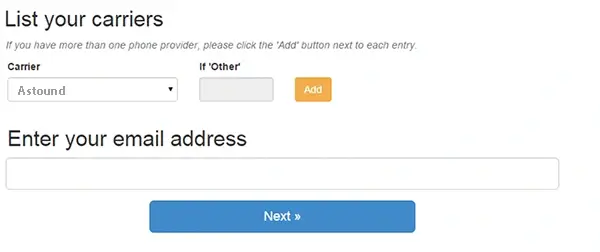
- Check your inbox for an email from Nomorobo. Click on the link provided to activate your account. You will need to create a username and password.
- In the Your Phones tab in your new account, enter your phone number(s)
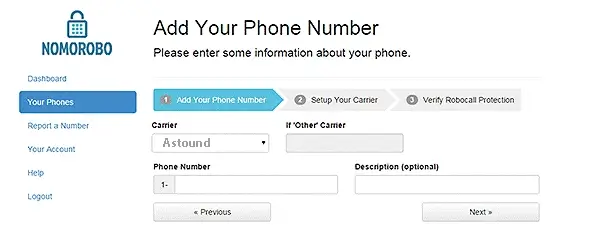
- Call Astound Customer Care at 1-800-746-4726 to enable Nomorobo service and add the SIMRING (simultaneous ring) feature to your account if you would like that service as well.
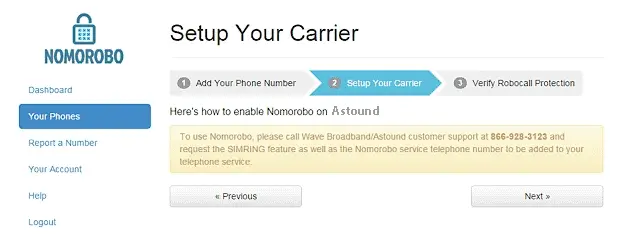
- Go back into your Nomorobo account and click next. Nomorobo will call your number. Pick up the call only when the status bar changes color. When the set up process is complete, the status bar will be green and your phone number(s) will be listed as “protected.”
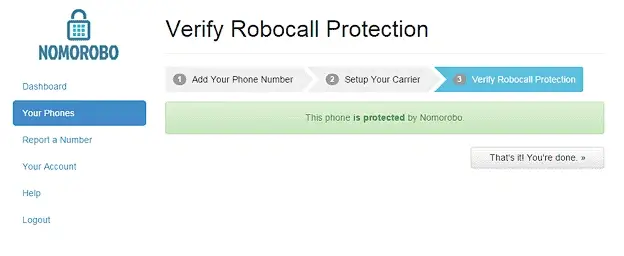
Well done — you are all set up!
You can now use both Nomorobo and SimRing as desired by dialing *41 to activate and *42 to deactivate.
Quick links



Looking for something else?
Check out Astound Support Center for all help and support related information.
Not all services, speeds, packages, equipment, channels, tiers, pricing, streaming services, product offerings and product features are available in all areas. Offers valid only for new residential customers or previous customers with account in good standing who have not had our service within the last 30 days. All names, logos, images and service marks are property of their respective owners. Other restrictions may apply.